How to export documents for your accountant
Whether your accountant needs a spreadsheet or you just want a backup of your documents, the Export page turns any date range into a single download. Choose which document types to include, pick a format, and Apollo prepares the file — some formats download right away, others arrive by email once ready.
- 1
Open the Export page#
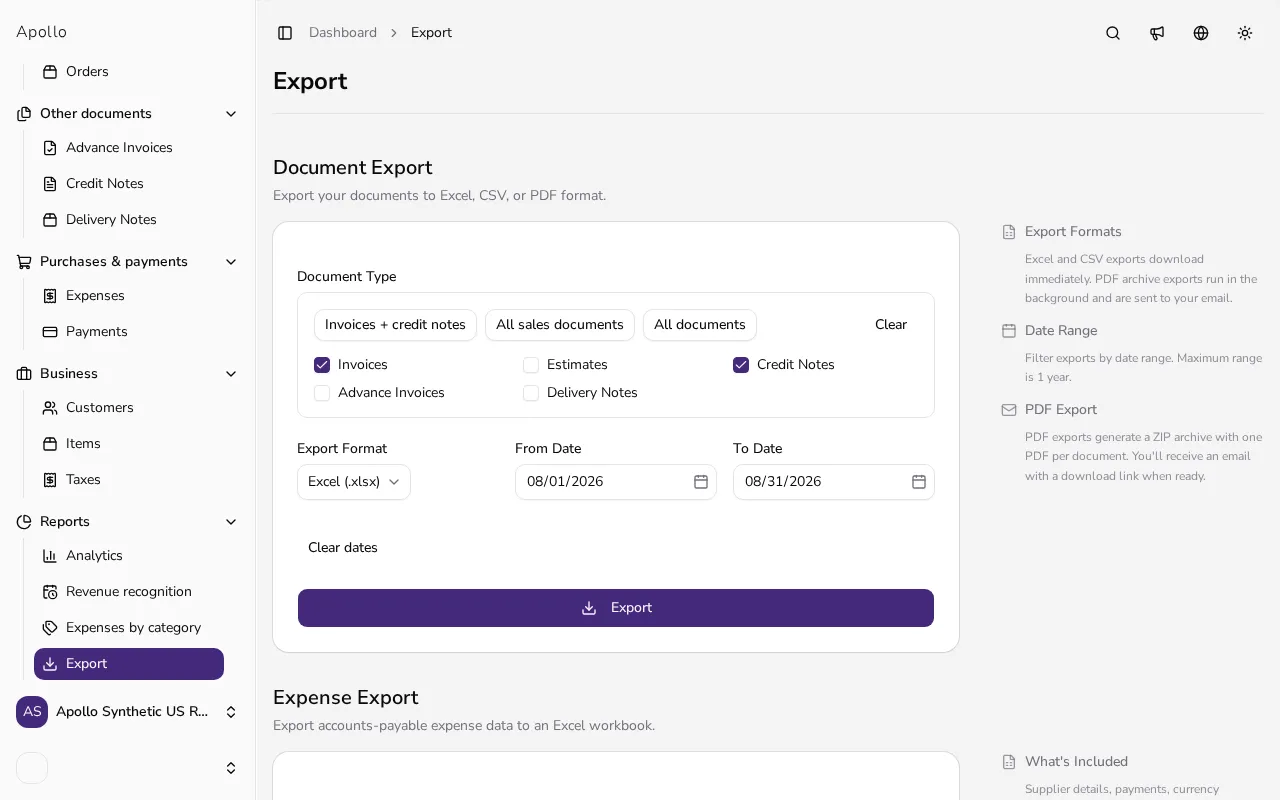
Click Export in the sidebar to open Document Export, the first section on the page.
![Export page showing the document export section and document type selection]()
- 2
Choose which documents to include#
Use a preset such as Invoices + credit notes or All documents, or tick individual Document Type boxes for Invoices, Estimates, Credit Notes, Advance Invoices and Delivery Notes.
- 3
Pick an export format#
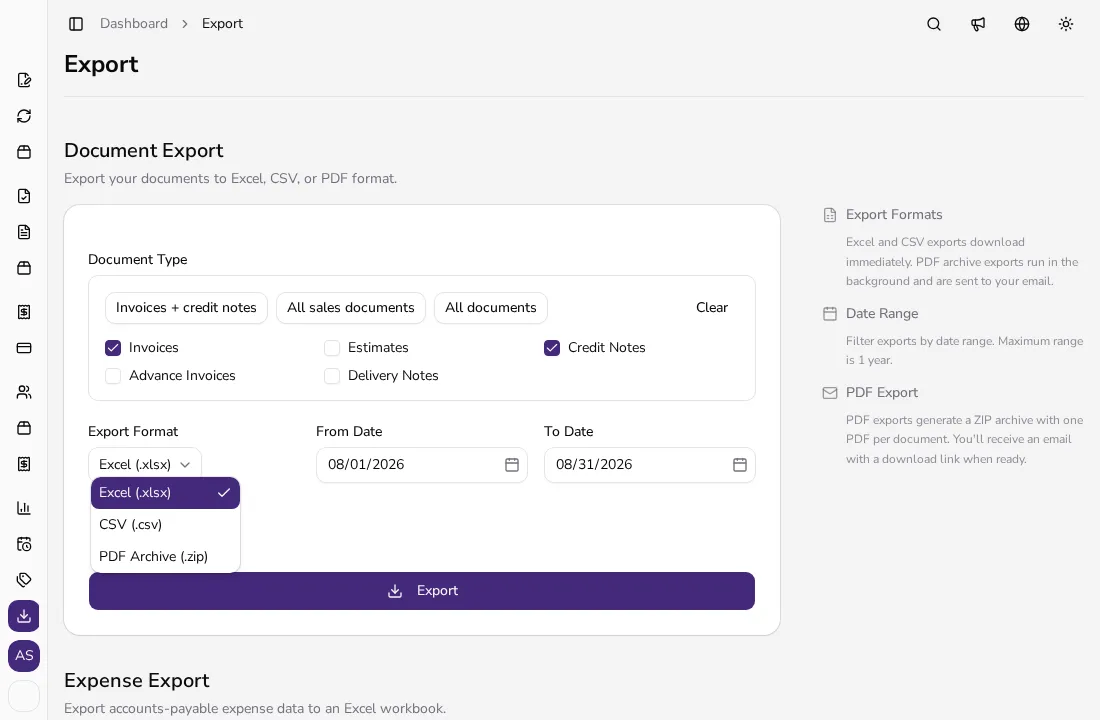
Choose Excel (.xlsx) or CSV (.csv) for a spreadsheet, or PDF Archive (.zip) to get one PDF per document.
![Open export format dropdown with Excel, CSV and PDF Archive options]()
- 4
Set a date range#
Fill in From Date and To Date to limit the export to a period — the maximum range is one year.
- 5
Click Export#
Click Export. Excel and CSV files download immediately; a PDF archive is prepared in the background and you'll get an email with a download link when it's ready.
- 6
Export other data if you need it#
Further down the same page, Sales Per Item exports aggregated quantities and totals per product or service for a period you choose.
Tips
- Use the All documents preset when your accountant needs everything for a period in one file.
- Pick PDF Archive when you need copies of the documents themselves, not just their totals in a spreadsheet.
- The Sales Per Item export is separate from the document export — use it for per-product reporting instead of per-document.
Frequently asked questions
Which file formats can I export to?
Excel (.xlsx) and CSV (.csv) for spreadsheets, plus a PDF Archive (.zip) with one PDF per document.
Is there a limit on the date range?
Yes, the maximum range for any export is one year.
Will I be notified when a PDF export is ready?
Yes. PDF archive exports run in the background and you'll receive an email with a download link once the file is ready.
Can I export just invoices and nothing else?
Yes — clear the other document types and leave only Invoices checked, or use a preset that includes only what you need.