How to track unpaid and overdue invoices
The invoice list shows every invoice's status at a glance, so you always know what customers still owe you. Use the status filter, search box and sortable columns to find unpaid, partially paid or overdue invoices quickly, then follow up or record a payment without opening each one.
- 1
Open the invoice list#
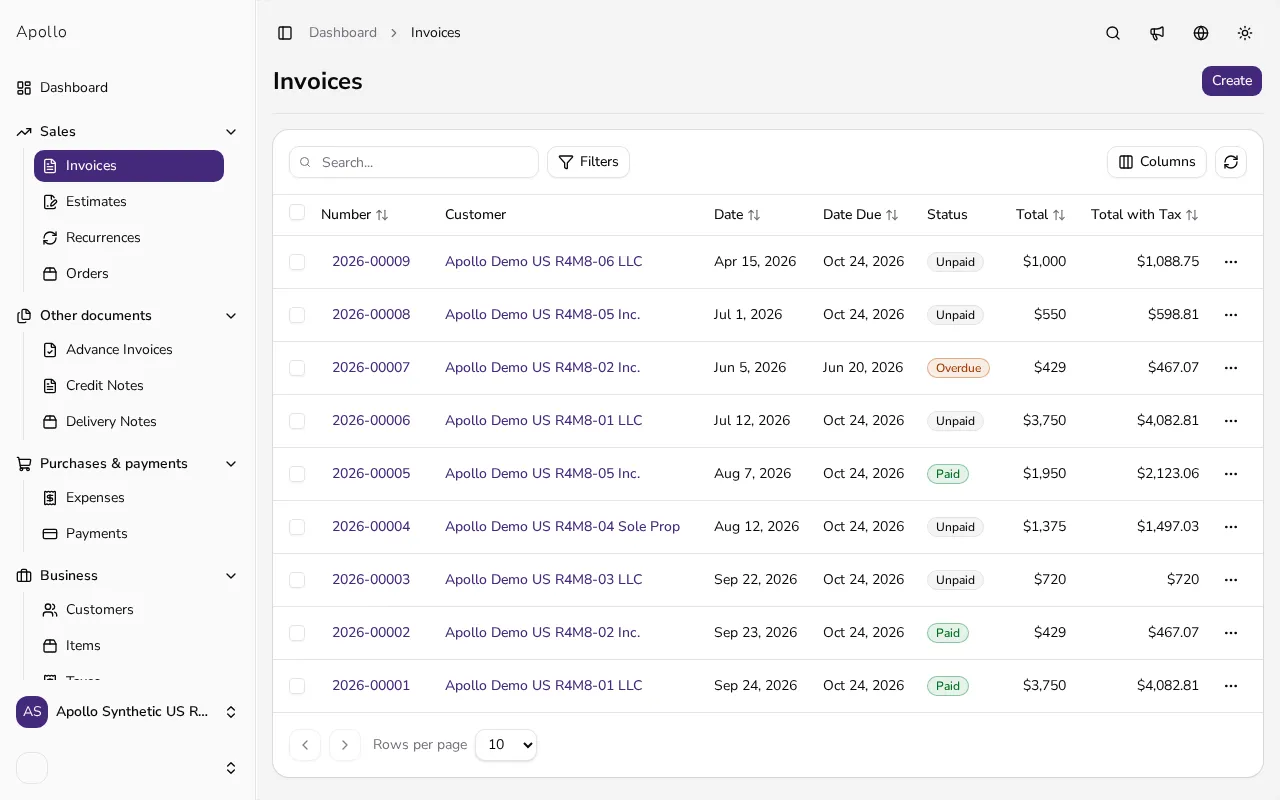
Go to Invoices in the sidebar. Each row shows a Status — Unpaid, Partially paid, Overdue, Paid, Voided or Draft — next to its Date Due.
![Invoice list with the status column and colored status badges]()
- 2
Filter by status#
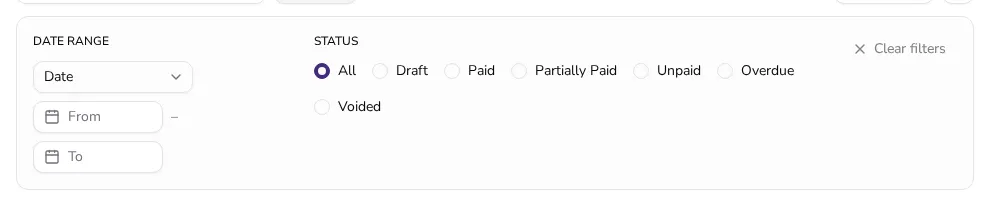
Click Filters, then pick a Status such as Overdue to show only invoices whose due date has passed and that are not fully paid yet.
![Open filter panel with invoice status and date range options]()
- 3
Search or sort the list#
Type a customer name or invoice number into the search box, or click a column header like Date Due or Total to sort the list by that column.
- 4
Understand the Overdue status#
An invoice turns Overdue once its due date passes and it isn't fully paid — even a partial payment doesn't clear the overdue status until the balance reaches zero.
- 5
Follow up or record a payment from the list#
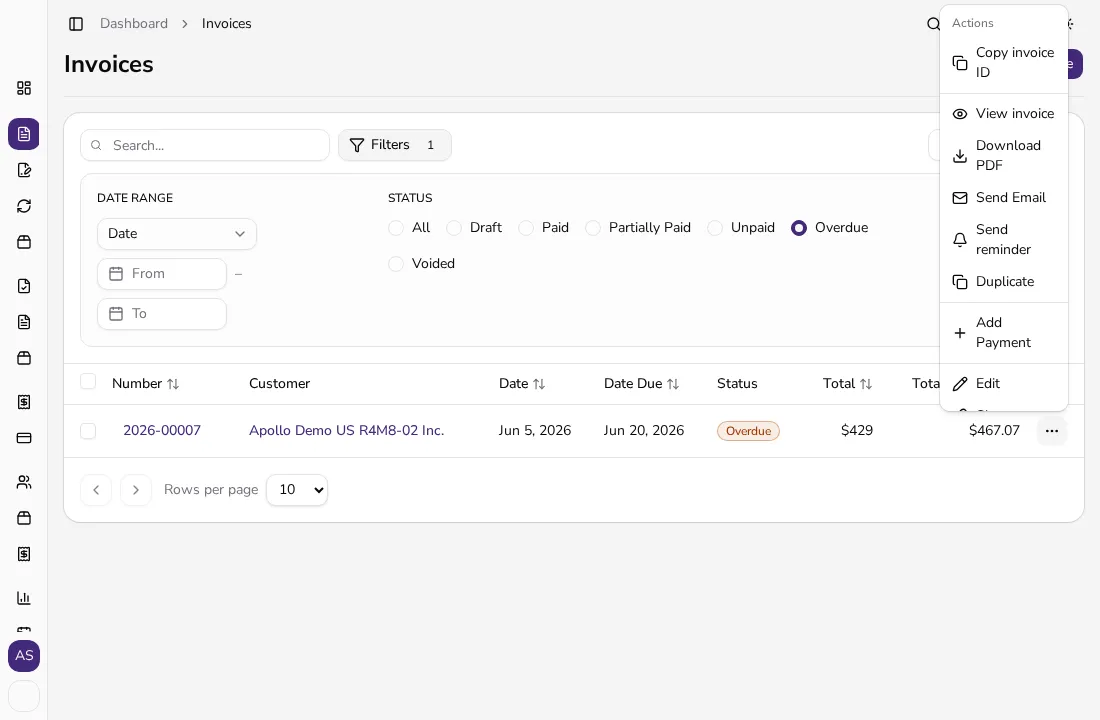
Open a row's ⋯ menu to Send reminder or Add Payment directly, without opening the invoice first. Send reminder isn't available in Portugal, where Apollo doesn't send documents by email.
![Open invoice row action menu with Send reminder and Add Payment options]()
Tips
- Save a bookmark to the invoice list with the Overdue status filter applied — it's the fastest way to see who still owes you money.
- Use Columns to bring back the Reference column if you track purchase-order numbers.
- Combine the Date Range filter on Date Due with Status: Unpaid to see what's due in a specific week.
Frequently asked questions
Why is an invoice marked Overdue instead of Partially paid?
Overdue takes priority once the due date has passed, even if part of the invoice was already paid — money is still outstanding.
How do I see only the invoices that need my attention?
Filter by Status and select Unpaid and Overdue, or open the Outstanding shortcut on your dashboard.
Can I send a payment reminder straight from the list?
Yes, when an invoice is overdue and has a customer email, its row menu offers Send reminder without opening the invoice. Reminders aren't available in Portugal, where Apollo doesn't send documents by email.
Does filtering or sorting change the invoices?
No. Filtering, searching and sorting only change what you see — no invoice is edited, issued or voided.