How to edit an invoice after issuing it
A draft can be edited freely, but an issued invoice is meant to stay a fixed record — Apollo still lets you fix a mistake on one as long as it hasn't been voided or fiscally verified. This guide shows where to find the Edit button, what changes, and when a correction is better handled with a credit note.
- 1
Open the invoice#
Go to Invoices in the sidebar and open the invoice you need to correct.
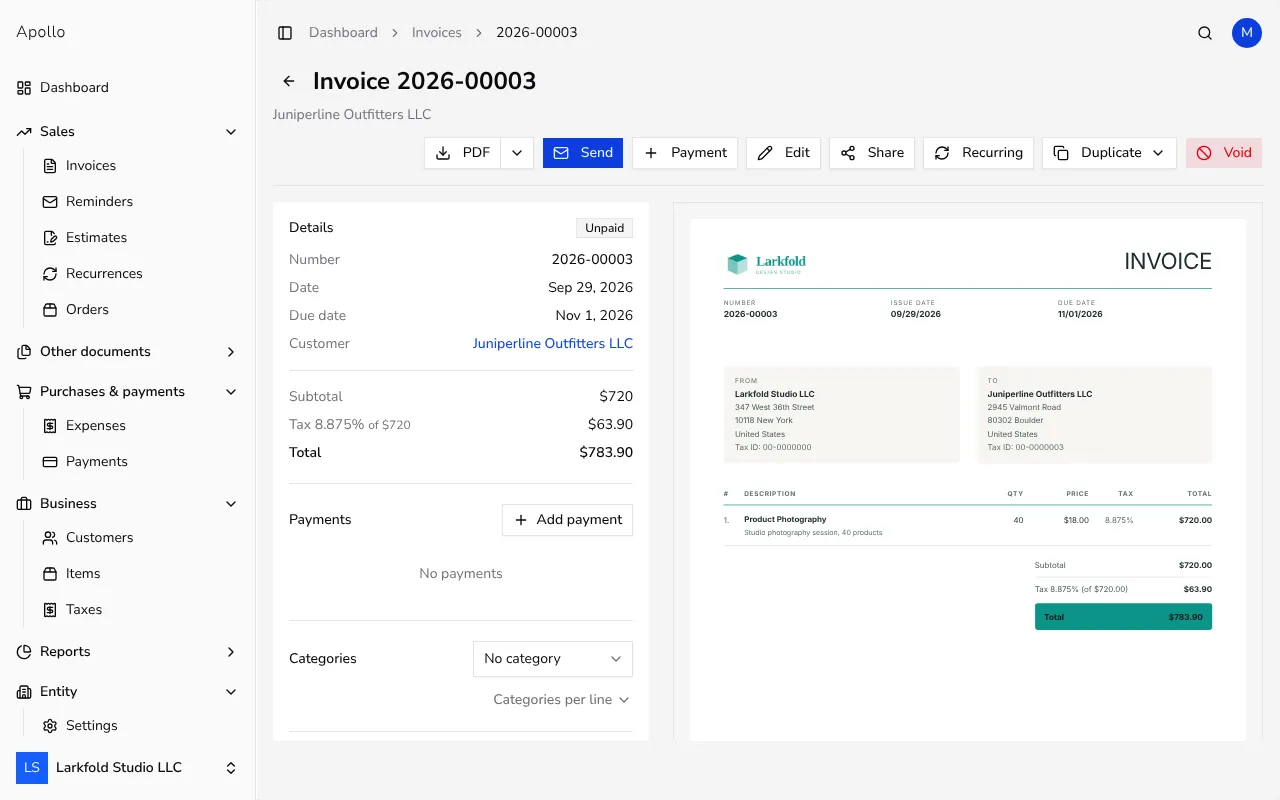
![Invoice page with the Edit button in the action bar]()
- 2
Click Edit#
In the action bar, click Edit. On a narrow screen, or if the invoice can't be edited, it may be under the ⋯ actions menu instead, or shown greyed out with a tooltip explaining why.
- 3
Change what's needed#
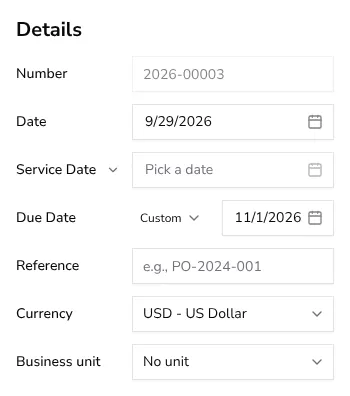
This opens the same form used to create the invoice, pre-filled with its current data, with a live preview on the right. Update the recipient, items, dates, note or payment terms as needed. The Number stays fixed and greyed out in the Details panel; it keeps its original value throughout.
![Details panel of the invoice edit form with the Number field locked to its original value]()
- 4
Save your changes#
Click Save to update the invoice in place. It keeps the same number and status; only the content you changed is updated.
Tips
- Editing works even on a paid or already-sent invoice, as long as it isn't voided or fiscally verified — but editing doesn't resend anything, so email or share the updated PDF again if your customer needs to see the correction.
- If the invoice has been fiscally verified or voided, Edit is disabled; issue a credit note instead to correct the amounts on record.
- For a bigger correction on an invoice your customer has already acted on, a credit note leaves a clearer paper trail than editing the original.
Frequently asked questions
Why is the Edit button greyed out?
Either the invoice has been voided, or it has been fiscally verified — both lock the invoice from further changes. Hover the disabled button to see the exact reason.
Can I edit an invoice that's already been paid?
Yes. Payment status alone doesn't block editing; only a void or a fiscal verification does. Keep in mind the payment record itself won't change automatically if you edit the total.
Does editing change the invoice number?
No. The number is fixed once assigned and doesn't change when you edit the invoice's other fields.
When should I use a credit note instead of editing?
Use a credit note when the invoice can no longer be edited, or when you want a separate, dated record of the correction rather than silently changing the original.