How to void an invoice
Voiding cancels an invoice you no longer want to stand, for example one issued by mistake or to the wrong customer. Unlike deleting a draft, voiding keeps a full record: the invoice stays in your history with its original number, and Apollo automatically creates a credit note to cancel out its full amount. Use it whenever an issued invoice needs to be taken off the books.
- 1
Open the invoice#
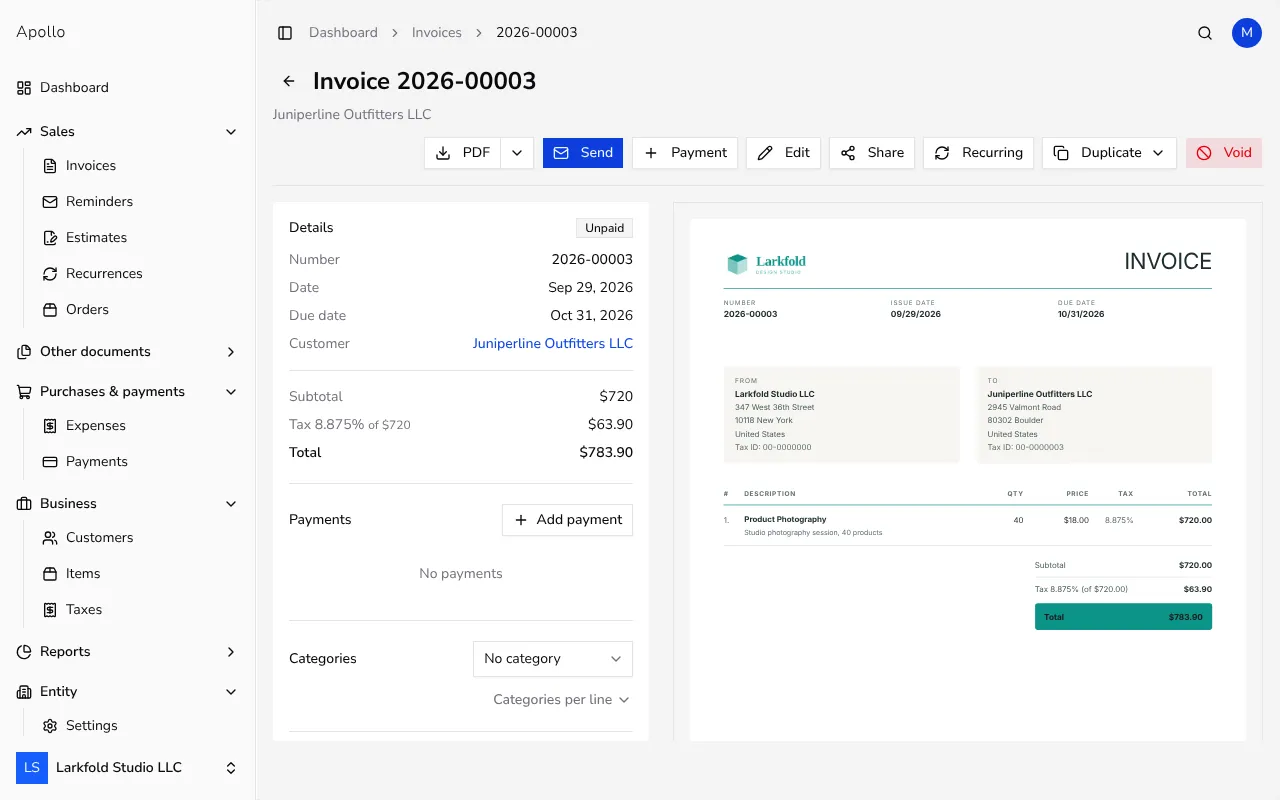
Go to Invoices in the sidebar and open the invoice you want to void.
![Invoice page with the Void button in the action bar]()
- 2
Click Void#
In the action bar at the top of the invoice, click Void. On a narrow screen it's under the ⋯ actions menu instead. The button is unavailable once an invoice is already voided.
- 3
Confirm the void#
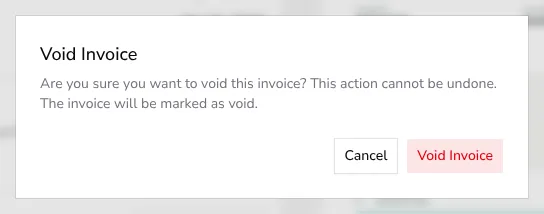
A confirmation dialog explains that this cannot be undone and that the invoice will be marked as voided. Click Void Invoice to confirm.
![Void confirmation dialog warning that the action cannot be undone]()
- 4
See the result#
The invoice's status changes to Voided, and its Linked Documents card now shows Has credit, pointing to a credit note Apollo created automatically for the invoice's full total. The invoice keeps its original number; the credit note gets a new number of its own — from your credit note sequence, or, for a fiscalized invoice, from the same business premise and device sequence as your invoices.
Tips
- Voiding doesn't email anything to your customer — if they already received the invoice, let them know separately that it no longer applies.
- The invoice's number is never reused or reassigned; voiding only changes its status and links it to the new credit note.
- If the invoice was already partly paid, the credit note still covers its full total, but Apollo applies only the unpaid balance to the invoice as a settlement payment — an invoice for 100 with 40 already paid gets a credit note for 100 and a settlement of 60. The payments you recorded earlier stay untouched.
Frequently asked questions
Does voiding an invoice delete it?
No. A voided invoice stays in your invoice list and reports with the Voided status; it's never removed, so your numbering and history stay intact.
Does voiding change the invoice number?
No, the invoice keeps the number it was issued with. Only the automatically created credit note gets a new number of its own.
Can I void an invoice that's already been paid or sent?
Yes. Voiding works the same way regardless of payment or email status, and it doesn't notify the customer. Fiscalized invoices can be voided too: Apollo fiscalizes the offsetting credit note, reusing the original business premise and device where possible.
Can I still edit an invoice after voiding it?
No. Once voided, an invoice can no longer be edited. If you need to correct details instead of cancelling the invoice entirely, edit it before voiding, or issue a separate credit note.