How to issue a credit note in Apollo
You issue a credit note when you need to correct or reverse an invoice you've already issued, for example because of a return or a pricing mistake. Most often you create it right from the view of the invoice it corrects, but Apollo also lets you issue a standalone credit note with no linked invoice.
- 1
Open the invoice you're correcting#
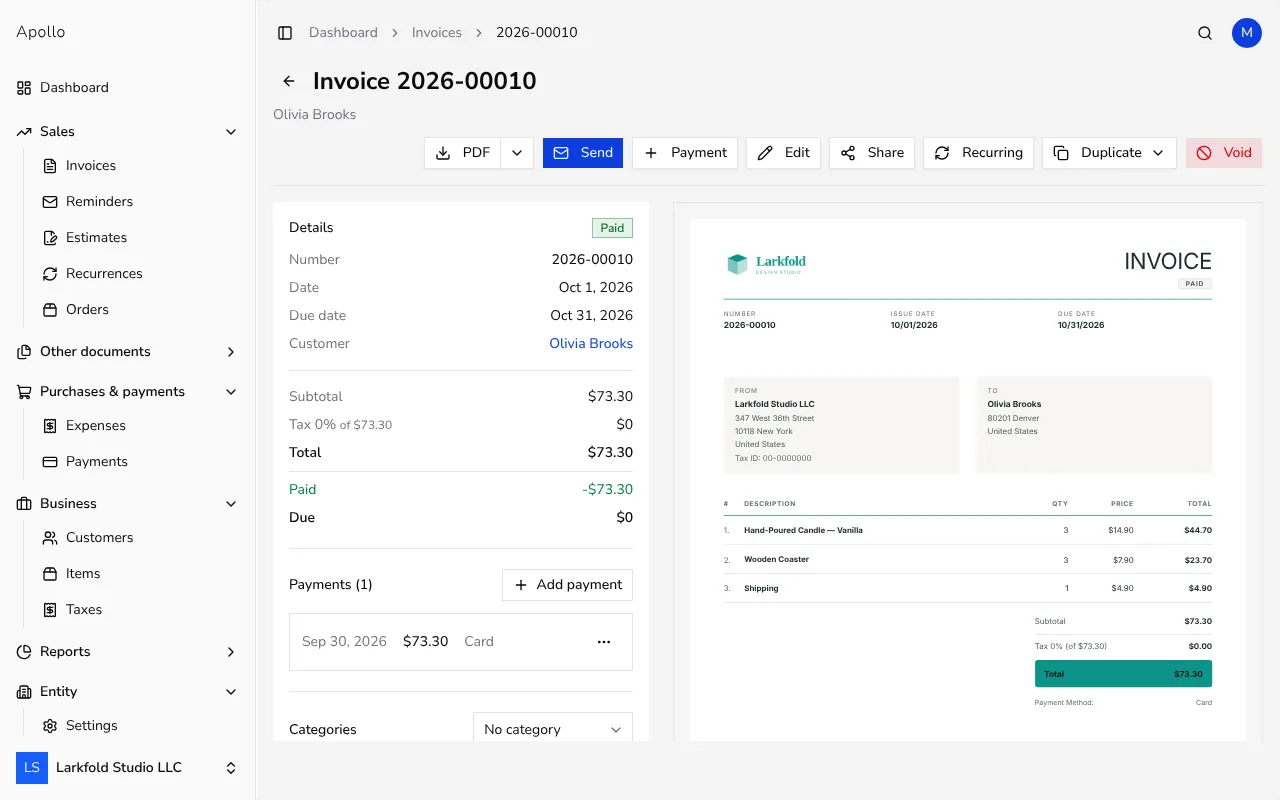
In the left-hand sidebar, click Invoices and open the issued invoice you want to credit.
![Issued invoice view with a Duplicate button in the top-right corner]()
- 2
Click Duplicate#
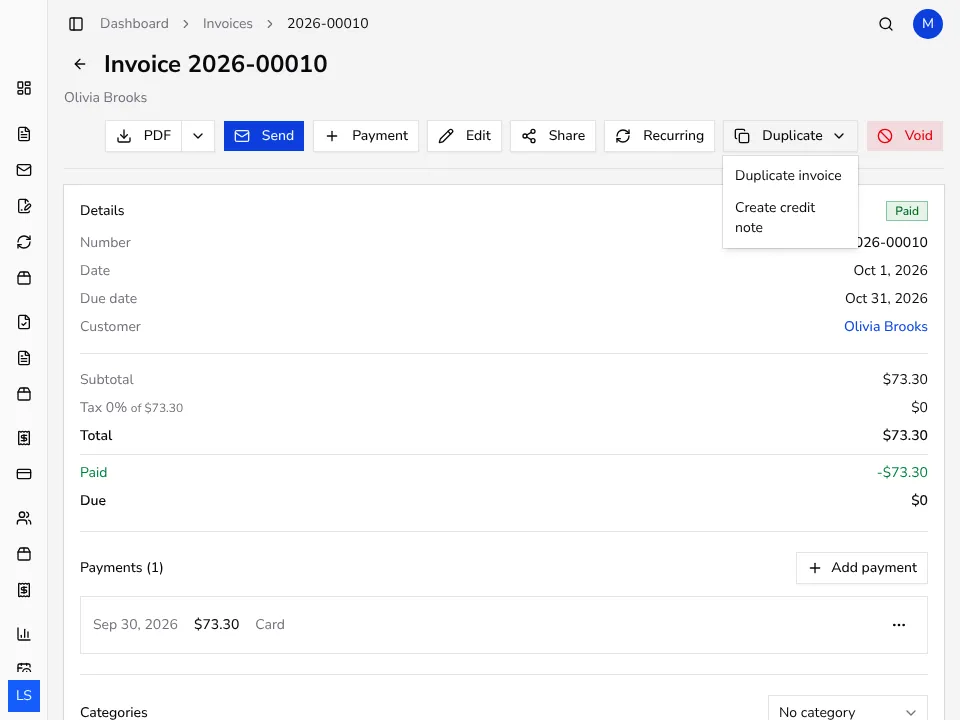
Near the top of the view, click the Duplicate button to open a dropdown menu with options, including issuing a credit note for this invoice.
- 3
Choose Create credit note#
From the dropdown menu, pick Create credit note. Apollo opens a new credit note form already filled in with the customer and line items from the invoice, with quantities set to whatever amount hasn't been credited yet.
![Dropdown menu with a Create credit note option for correcting an invoice]()
- 4
Edit quantities for a partial credit#
To refund only part of the amount, reduce the quantity on a line or remove the lines the credit note shouldn't cover. Leave every line as it is if the credit note should cover the entire remaining amount of the invoice.
- 5
Issue the credit note#
Click Save to issue the document with its own number. The credit note is automatically linked to the invoice it corrects, visible from both documents' views.
- 6
Create a standalone credit note if needed#
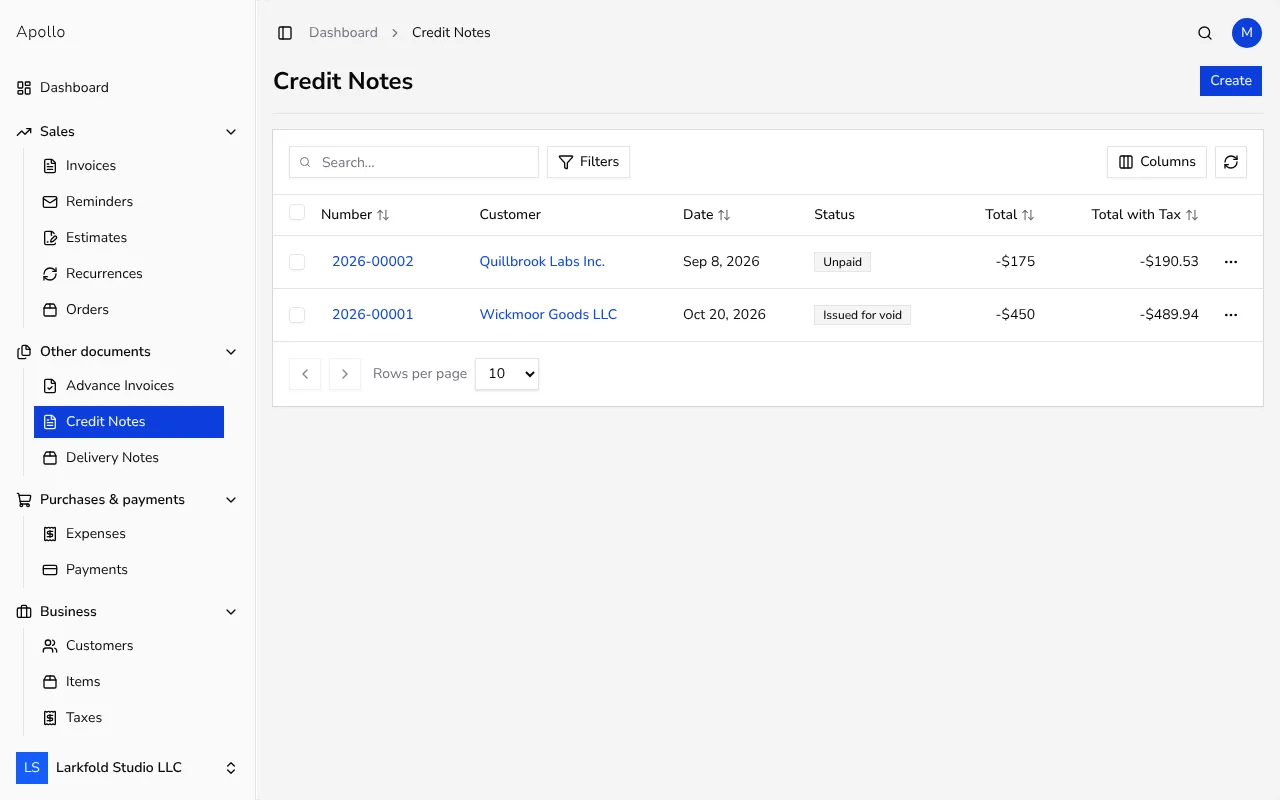
For a credit note with no linked invoice, click Credit Notes in the sidebar, then Create. Choose a customer and add line items the same way you would on an invoice.
![List of credit notes in Apollo with a button for creating a new one]()
Tips
- Before issuing a credit note, check how much of the invoice has already been credited — Apollo automatically suggests only the remaining amount on a new one.
- For a partial credit, reduce the quantity on the existing line instead of adding a new line with a negative value, so it stays clear which item the correction applies to.
- A credit note issued from an invoice's view shows up under Linked documents on both views, which makes it easy to check later what was corrected.
Frequently asked questions
What's the difference between a credit note issued from an invoice and a standalone one?
A credit note issued from an invoice's view is automatically linked to it and takes over its line items; a standalone credit note has no linked source invoice, and you enter its details yourself.
Can I issue more than one credit note for the same invoice?
Yes, as long as the invoice isn't fully credited yet. Once it's already fully covered, Apollo tells you so when you try to create another one, and it can't be created.
How do I issue a credit note for only part of the invoice amount?
On the credit note form, reduce the quantity on a line or remove the lines the correction shouldn't cover; Apollo then calculates the total for only the remaining lines.
Does a credit note affect the original invoice?
The original invoice stays unchanged, and the credit note is linked to it, so both views show you which document corrects which.