
Ask for overdue invoices, payment status, or customer balances in plain English
Use Apollo with AI assistants
Get invoice answers by just asking. Connect Apollo to your AI app, approve access, and chat with your customer and document data.
v2.getapollo.io
Designed for real teams
Ask Apollo the way people already think
It's not just for developers. Founders, finance, and operations teams can simply ask what's unpaid, which customer is late, or what happened on a specific invoice.
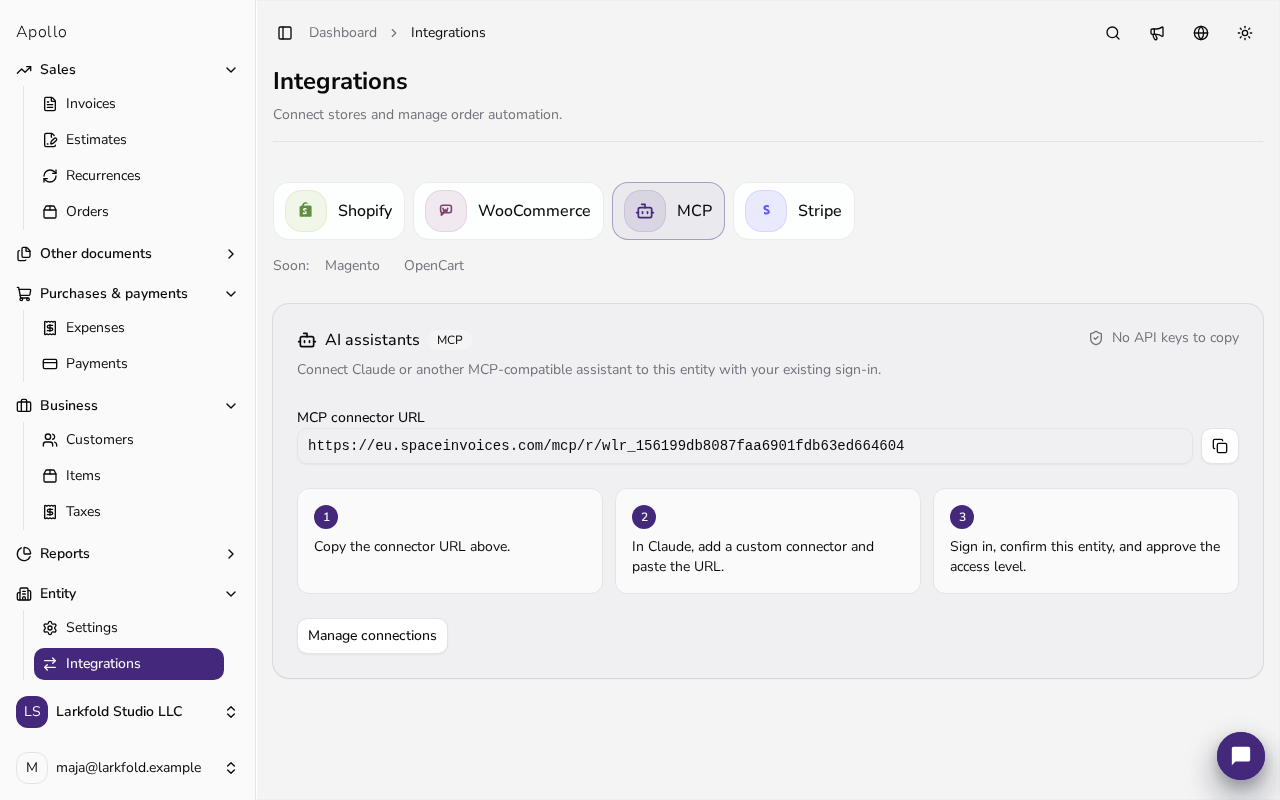
When your AI app asks to connect, sign in to Apollo, pick the business, and approve read-only access. Your existing Apollo permissions always apply.
Show me which invoices from Quillbrook Labs Inc. are overdue, how much they owe, and whether we already sent a reminder.
- INV-2026-018 · Quillbrook Labs Inc. • 14 days overdue · €1,240.00
- INV-2026-021 · Quillbrook Labs Inc. • 7 days overdue · €560.00
Total overdue for Quillbrook Labs Inc. is €1,800.00. A reminder was sent for the older invoice, but not for the newer one.
Claude Desktop for finance and operations teams
Cursor or Claude Code for people who already work with AI tools
Web-based AI apps that support MCP
Your own internal assistant, with Apollo data one prompt away
What people actually use it for
Prepare draft invoices faster when an assistant already knows the customer and line items
Check document history before replying to a customer or accountant
Stay in one conversation instead of jumping between admin screens
Guardrails
Apollo Invoicing is listed in the official MCP Registry (io.github.404-studio/apollo-invoicing). You can manage your connections in Apollo at any time.
* Apollo does not expose your user data to AI systems by default. AI access is only available if you explicitly configure it. Apollo is GDPR-compliant.
Uses the same Apollo permissions you already have
Each connection covers one business, with read-only access by default
Answers come from your real invoice and customer data
You can review or remove access at any time
How it fits into your workflow
1
Connect Apollo once, then let your team use an AI app they already like, right next to email, Slack, and accounting tools.
2
Once you approve the connection, the assistant remembers which business to use, so you don't have to repeat it in every prompt.
3
You can still open Apollo for the details. Routine questions just start in chat and end with a clear answer instead of a manual search.
The setup guide walks you through connecting in a few steps.
View Apollo setup guide
Stop losing time to invoicing admin
Apollo helps Slovenia-based businesses invoice faster and stay compliant.
- 14-day free trial
- Live support
- No credit card required
No credit card · 14-day free trial of all features