How to manage your Apollo subscription
The subscription page shows which plan you're currently on, when it renews, and what you've been charged so far. It's also where you upgrade to a paid plan, add a payment method, or cancel your subscription.
- 1
Open the subscription page#
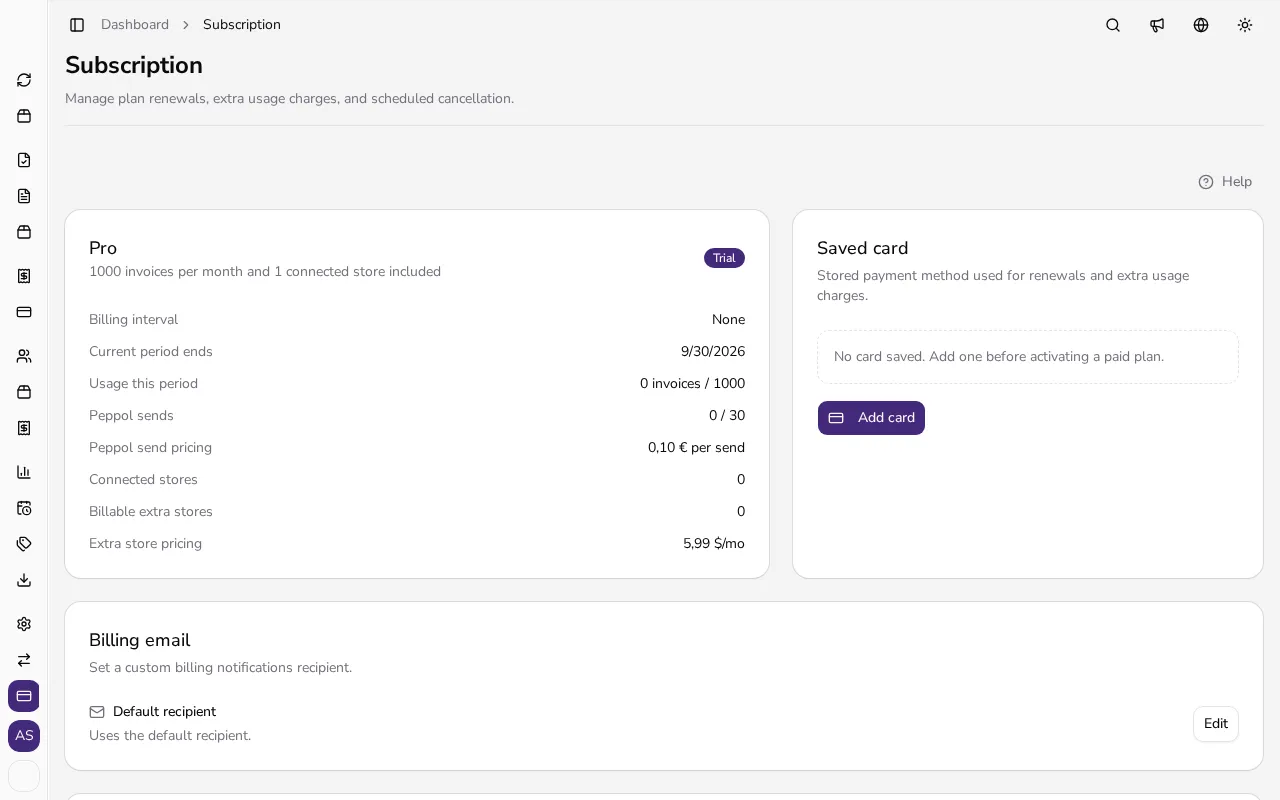
In the sidebar, under the Entity section, click Subscription. At the top of the page you'll see your current plan, its status (such as Active or Trial), and when the current billing period ends.
![Subscription overview showing the current plan, status and renewal date]()
- 2
Add a payment method#
Before activating a paid plan, click Add card under Saved card and enter your card details in the secure payment window. Apollo also offers PayPal or bank transfer as payment methods where available.
- 3
Choose a plan#
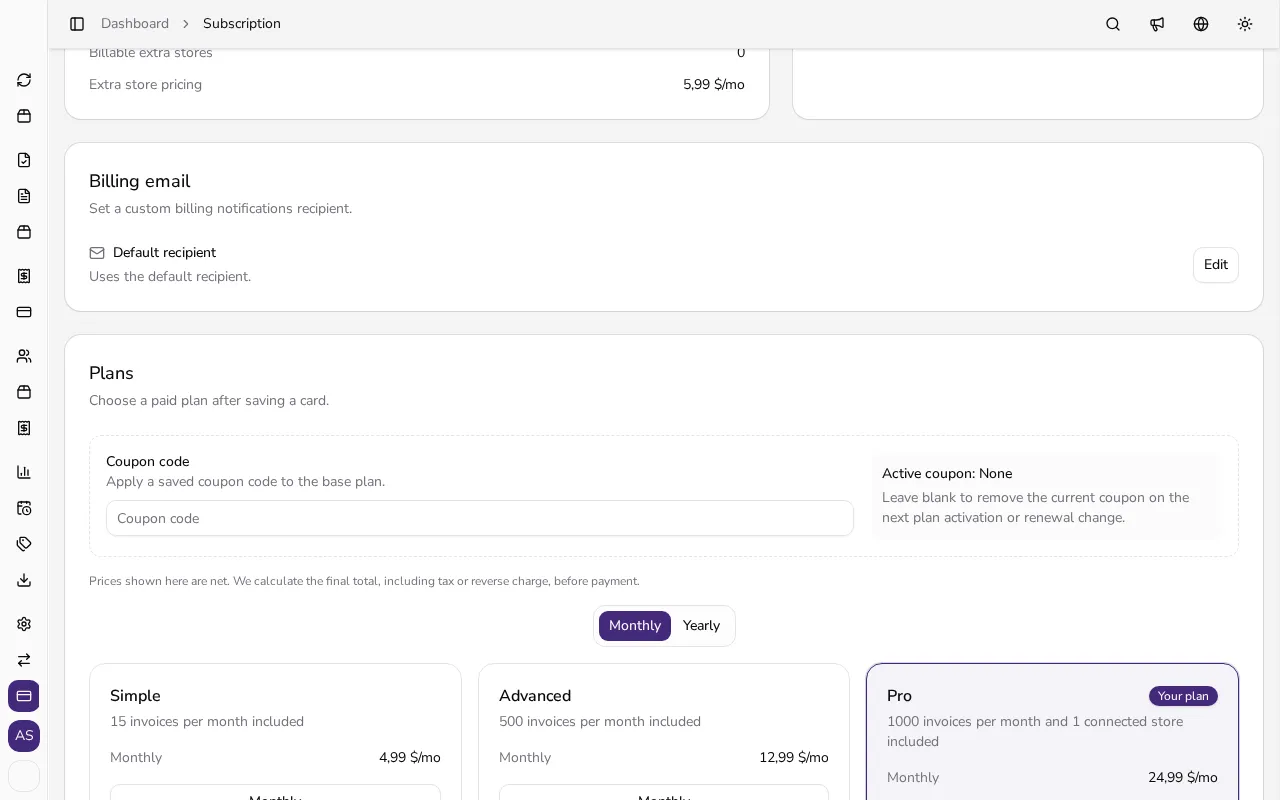
In the Plans section, toggle between Monthly and Yearly billing and find the plan that fits your needs. Your current plan is marked with a Your plan label.
![List of available subscription plans with monthly and yearly billing]()
- 4
Confirm the change#
Once you pick a new plan, Apollo shows you the exact amount you'll be charged, including any credit for the unused part of your current plan. Confirm the change in the dialog.
- 5
Review your billing history#
Under Billing history, you'll find every past renewal and extra usage charge, along with its amount, status and date.
Tips
- Cancelling doesn't cut off paid features immediately — your current plan stays active until the end of the period you've already paid for.
- Move to a free plan or schedule cancellation before removing your saved card.
- Yearly billing is usually cheaper than monthly billing for the same plan.
- Use Billing email to send billing notifications to an address different from the one you sign in with.
Frequently asked questions
What happens when I cancel my subscription?
Your current plan stays active until the end of the period you've already paid for. After that, your company moves to a free plan and future renewals stop.
Can I change plans at any time?
Yes. You can switch plans whenever you like; Apollo shows you the exact amount you'll be charged, including any credit, before you confirm.
What payment methods can I use?
A payment card is always available, and you can also choose PayPal or bank transfer where your plan and country support them.
Where can I find receipts for past subscription payments?
Under Billing history on the Subscription page — any record with an issued invoice has a link you can click to view it.