How to share a public invoice link
Sometimes a customer just wants to check an invoice online instead of digging through an email attachment. Apollo can turn any issued document into a public link that opens a read-only copy in any browser, complete with its own download button, and no login required. This guide covers turning sharing on, what your customer sees when they open the link, and turning it off again.
- 1
Open the document#
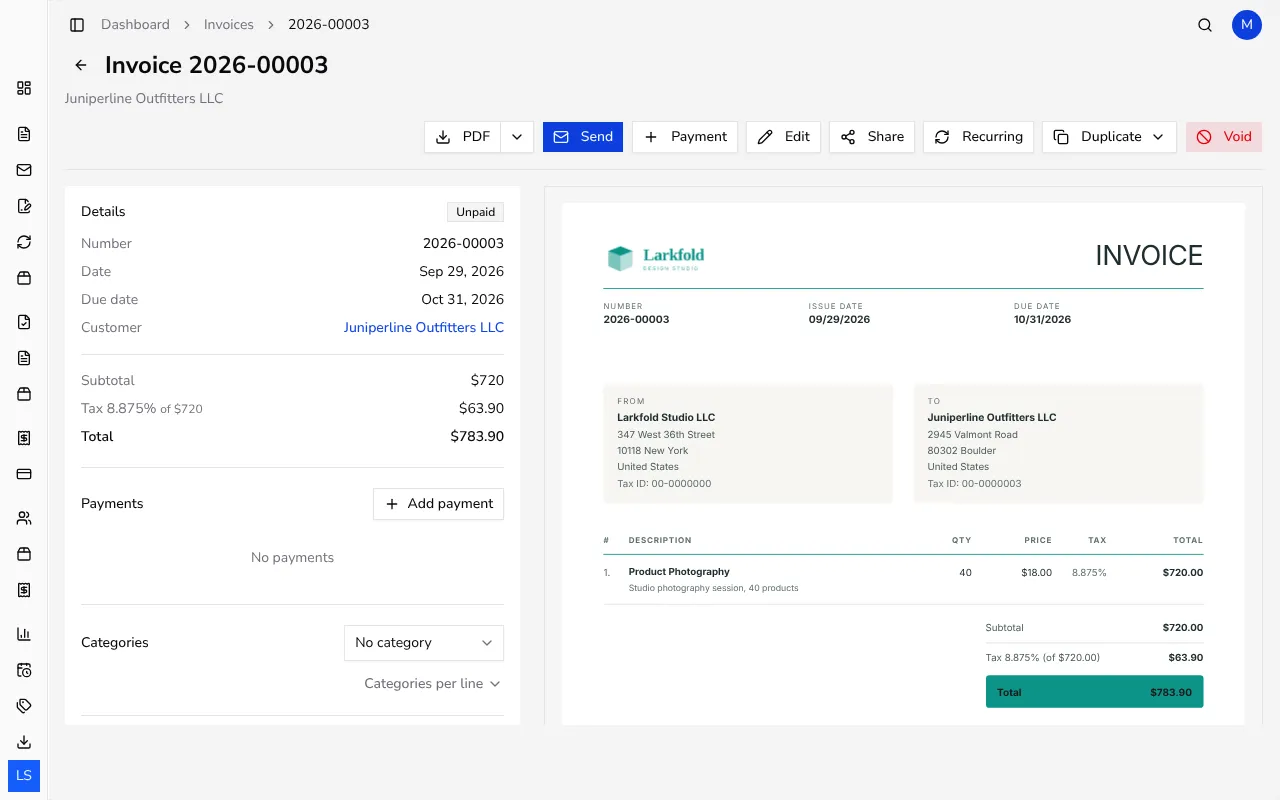
From Invoices in the sidebar, click the invoice you want to share. Its page shows an actions row along the top, including PDF, Send and Share. In Portugal there's no Send, because documents can't be emailed from Apollo there.
![Invoice detail page with the PDF, Send and Share buttons in the actions row]()
- 2
Click Share#
Click Share in the actions row. Apollo turns on a public link for this document, copies it to your clipboard automatically, and confirms with a Shareable link copied message, so you can paste it straight into an email or chat.
- 3
Copy the link again or manage sharing#
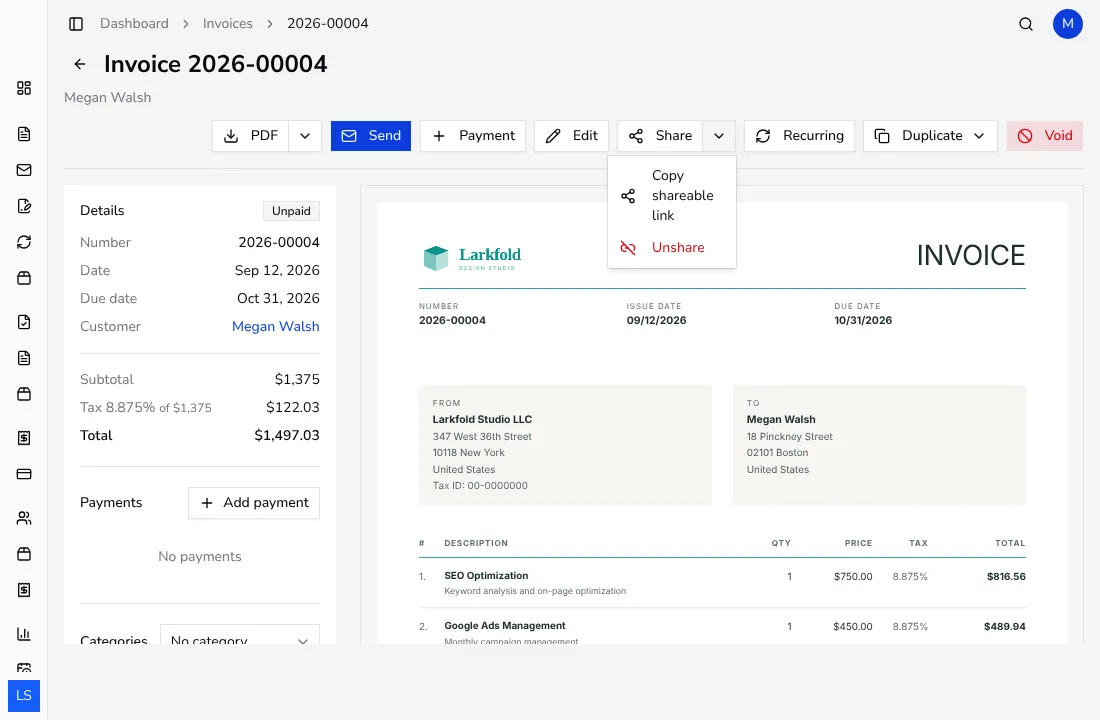
Once a document is shared, the same button becomes two parts: the left side copies the link again, and the small arrow on the right opens a menu with Copy shareable link and Unshare, so you always have quick access to both.
![Share button menu open showing Copy shareable link and Unshare options]()
- 4
See what your customer sees#
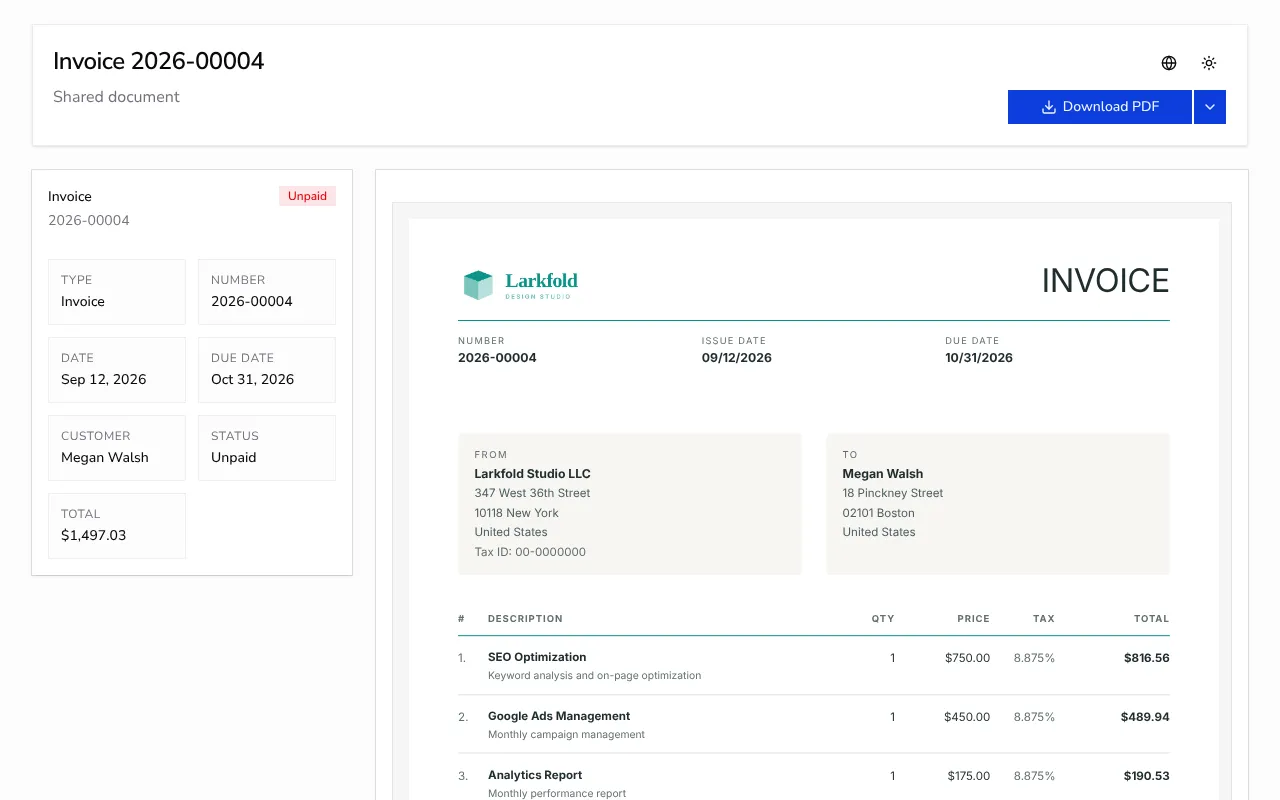
Opening the link shows a read-only summary of the document with its own Download PDF button, which offers the same language choices as your own PDF download; in Portugal, the PDF is only available in Portuguese. A short note tells them the link is unique to this document; they never need an Apollo account or password to view it.
![Public shareable page for the invoice with its own Download PDF button]()
- 5
Turn sharing off again#
Open the Share menu on the document and click Unshare at any time. The link stops working immediately, so anyone who still has an old copy of it can no longer open the document.
Tips
- Sharing a document doesn't change anything about it — your customer still sees the exact same totals, items and status as the copy in your account.
- The public page always reflects the document's current status, so if a customer pays and you record it, the link shows the updated status too.
- The same Share button appears on estimates, credit notes, advance invoices and delivery notes (delivery notes aren't available in Portugal), and works exactly the same way.
Frequently asked questions
Does my customer need an Apollo account to open the link?
No. Anyone with the link can view the document and download its PDF straight from their browser, without signing in.
Can my customer download the PDF in a different language?
Yes, the public page has its own download button with a language menu, just like the one on your own document page. In Portugal, documents are only available in Portuguese.
What happens to the link if I turn sharing off?
It stops working right away; anyone who opens it afterwards sees that the document is unavailable.
Can I share documents other than invoices this way?
Yes, the same Share button and public link work the same way on estimates, credit notes, advance invoices and delivery notes. Portugal has no delivery notes.