How to turn an estimate into an invoice
Once a customer confirms an estimate, you don't need to retype it as an invoice. From the issued estimate's view you can convert it into an invoice in one action, which carries over the customer and every line item and links the two documents together, so you can always see which estimate an invoice came from.
- 1
Open the estimate#
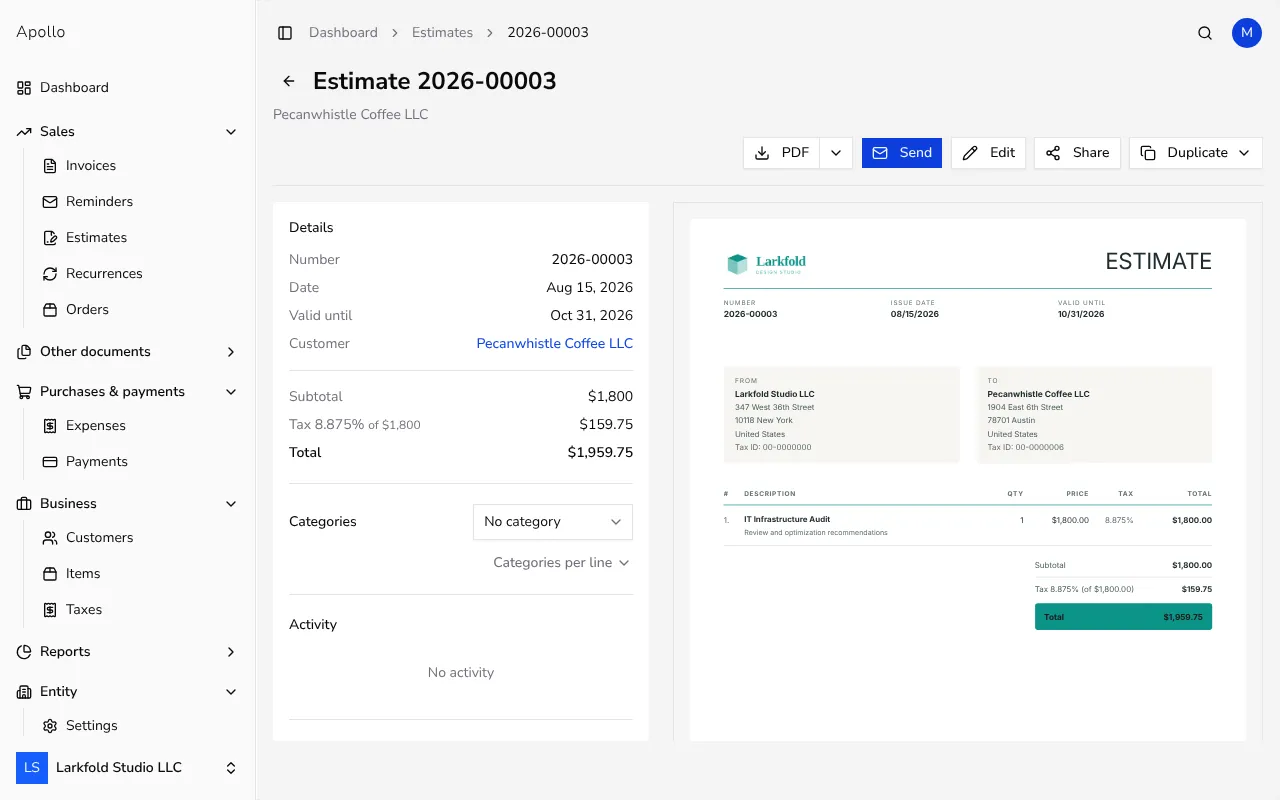
In the left-hand sidebar, click Estimates, then click the estimate the customer accepted to open its view.
![Issued estimate view with a Duplicate button in the top-right corner]()
- 2
Click Duplicate#
Near the top of the view, click the Duplicate button. A dropdown menu opens with options, including converting the estimate into another document type.
- 3
Choose Create invoice#
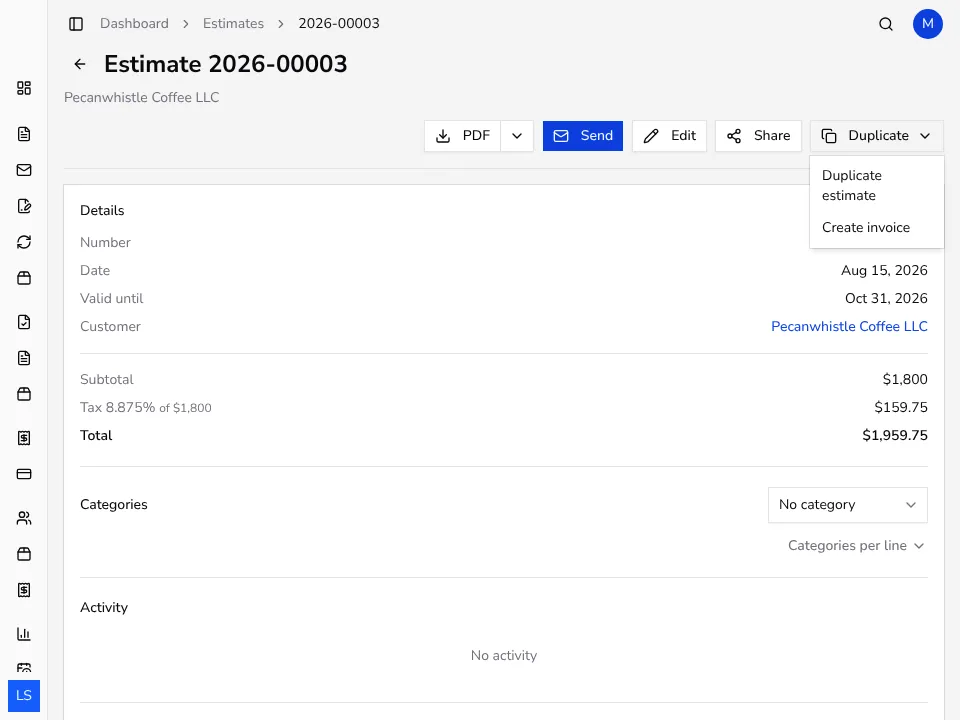
From the dropdown menu, pick Create invoice. Apollo opens a new invoice form already filled in with the customer, and every line item, quantity and price from the estimate.
![Dropdown menu with a Create invoice option for converting an estimate]()
- 4
Check the new invoice's details#
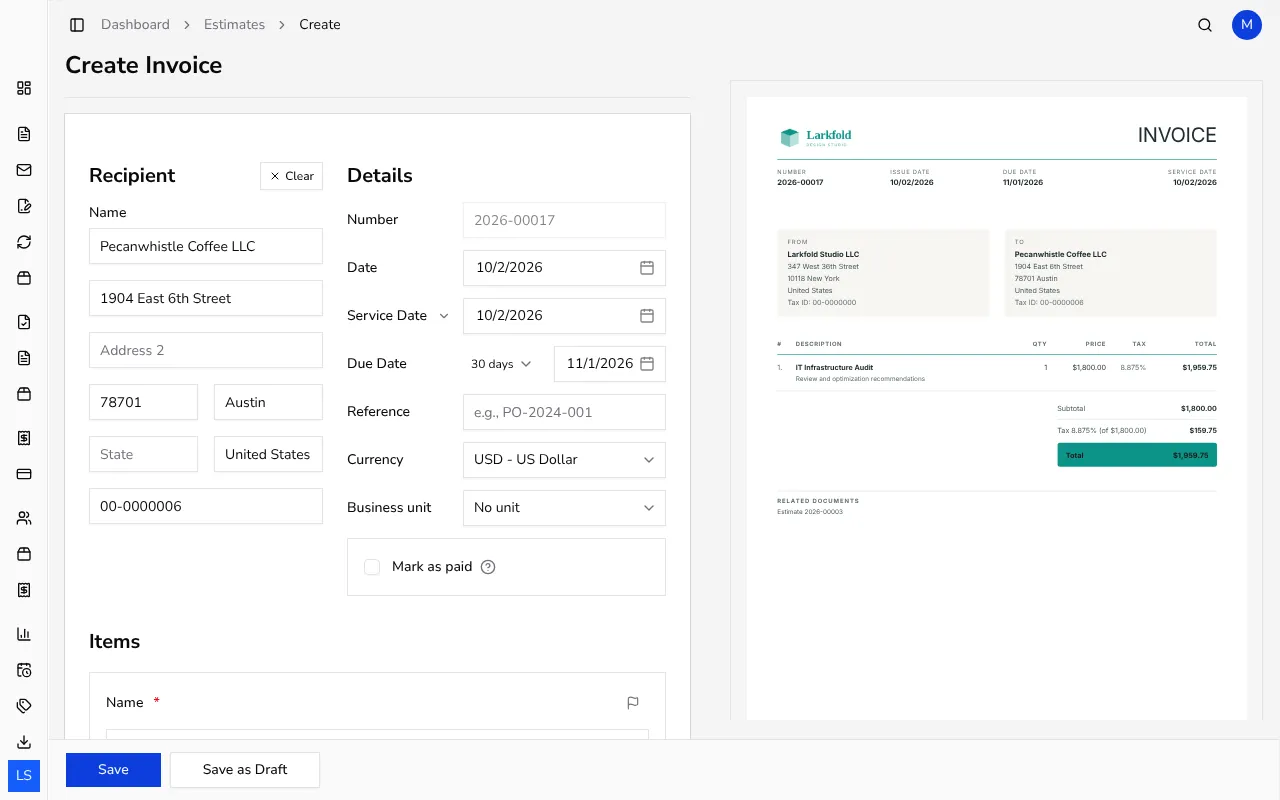
Review the issue date, payment terms and line items — you can still edit any of them before issuing, for example if a quantity or price has changed since the estimate.
![New invoice form pre-filled with line items carried over from an estimate]()
- 5
Issue the invoice#
Click Save to issue the document with its own number. The new invoice is automatically linked to the estimate it was created from.
- 6
Check the link between the two documents#
On the new invoice's view, the Linked documents section shows the source estimate, and the estimate's own view now shows the resulting invoice too, so you can move between them at any time.
Tips
- Before converting an estimate, double-check that its prices are still current — you can still adjust them on the new invoice after conversion.
- If you accidentally try to create a second invoice from the same estimate, Apollo warns you it's already linked and asks whether you want to continue anyway.
- Converting doesn't change the original estimate — it stays saved in Apollo exactly as it was issued.
Frequently asked questions
Can I create more than one invoice from the same estimate?
Apollo warns you on a second attempt that the estimate is already linked to an invoice and asks whether you still want to create a new one — the choice is yours.
What happens to the estimate once I convert it into an invoice?
The estimate stays unchanged and still appears in your Estimates list; a new, separate invoice is created and linked to it.
Can I change the line items carried over from the estimate before issuing?
Yes, the new invoice is a fully editable form before you issue it, so you can change quantities and prices, or add and remove lines.
Where can I later see which estimate an invoice came from?
The invoice's view has a Linked documents section that names the source document, and the same link is visible from the estimate's view too.