How to set up units and brands in Apollo
A unit — sometimes called a brand — lets one Apollo entity issue documents under a different name, address or look, while everything still stays inside the same company. Use units when you run more than one store, department or brand from a single entity and want each one's invoices to carry the right details automatically. This guide shows what a unit can override and how to pick one when you create a document.
- 1
Open Units / Brands#
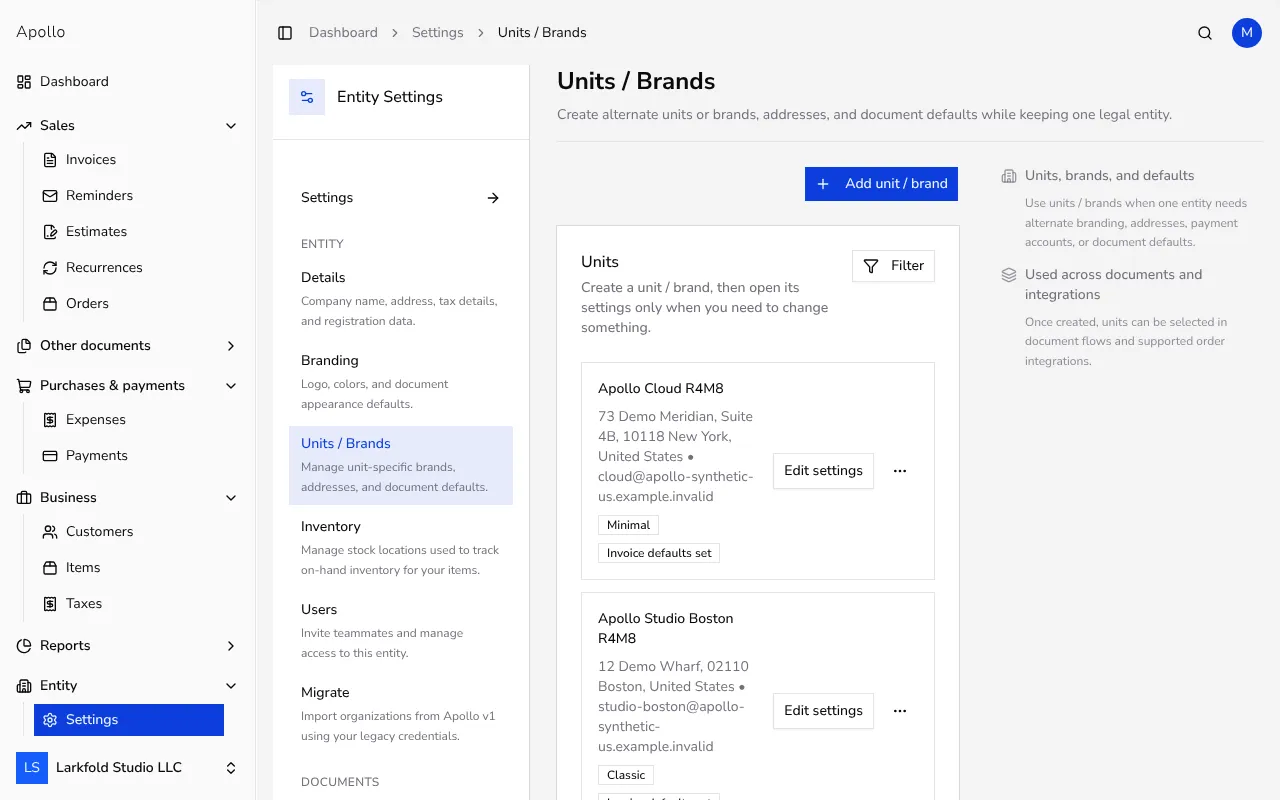
In the sidebar, click Settings, then choose Entity and Units / Brands. The page lists every unit you've created, along with its address and any branding already in place.
![Units and brands list showing two units with their address and PDF template]()
- 2
Create a unit#
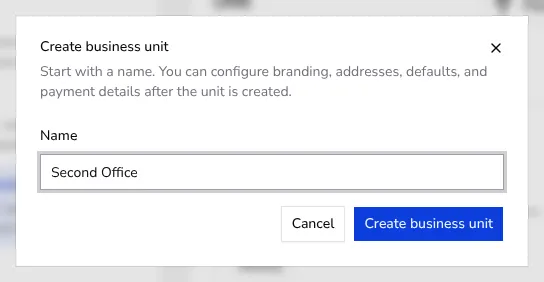
Click Add unit / brand, type a Name for the new unit, and click Create business unit. A unit starts with just a name — it uses your main entity's address and defaults until you set its own.
![Dialog for creating a new unit or brand with a Name field]()
- 3
Override its address, branding and defaults#
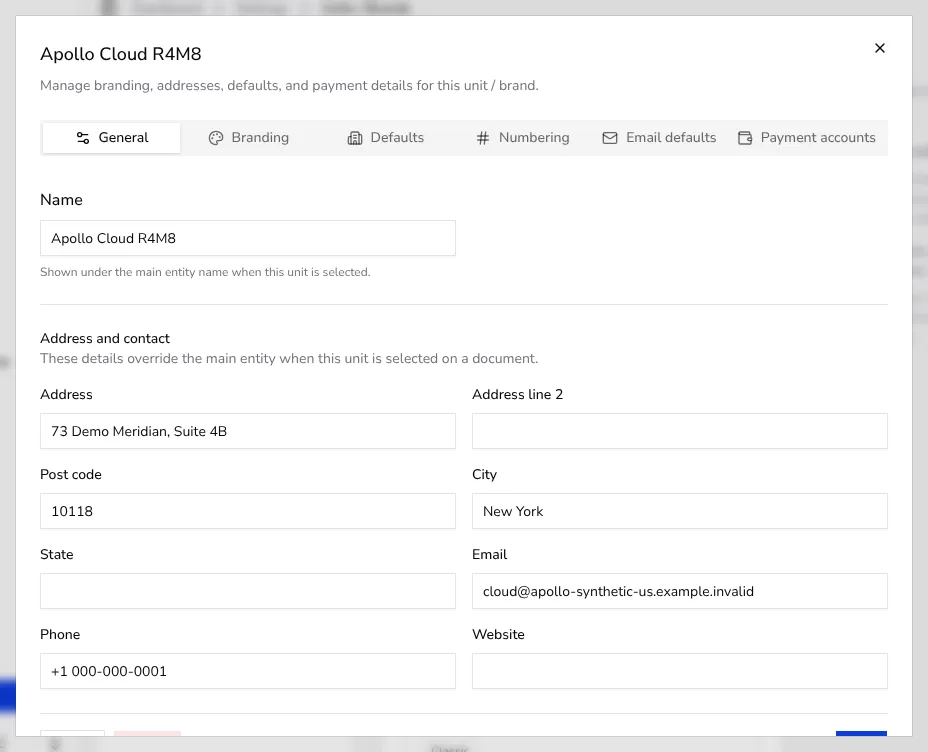
Click Edit settings on a unit. Under General, change its Address, Post code and City — these replace your main entity's details whenever this unit is selected on a document. Switch to Branding to upload a separate Logo or Signature, pick a different PDF template, or set a Primary color; and to Defaults for a unit-specific invoice note, payment terms or footer per document type. In Portugal, every document uses one fixed PDF layout, so a unit's PDF template has no effect there.
![Unit settings dialog with the General tab open showing name and address fields]()
- 4
Set unit-specific numbering#
Open the Numbering tab to set the first number this unit uses for invoices, estimates, credit notes, advance invoices and delivery notes. Each unit counts separately from your main entity and from other units; the number format itself stays shared and is configured once in numbering settings.
- 5
Choose the unit on a document#
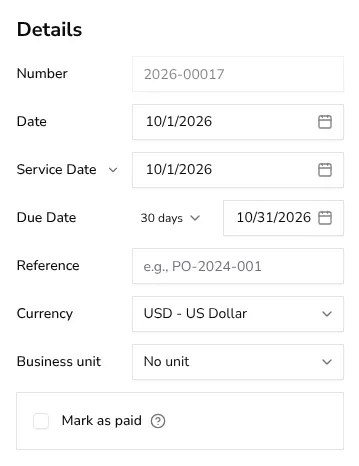
When you create an invoice or another document, look for Business unit in the details panel. Pick a unit to issue that document under its own address, logo and numbering instead of your main entity's; leave it on No unit to use your main entity as usual.
![Business unit selector on the invoice form listing the entity's units]()
Tips
- Units are handy for running more than one store, brand or department from the same entity, without creating a second Apollo company.
- Anything you don't override on a unit — like your tax number or default currency — still comes from your main entity.
- Archiving a unit hides it from new documents but keeps it on documents that already reference it, so past records stay intact.
- You can create as many units as you need; each one gets its own tabs for branding, defaults, numbering, email and payment accounts.
Frequently asked questions
Does a unit change my company's tax number or legal registration?
No. A unit only changes what's shown on the document — its name, address, branding and defaults. Your entity's legal and tax details stay the same everywhere.
Can I give a unit its own document numbering?
Yes. Each unit counts invoices, estimates and other documents separately, starting from whatever first number you set on its Numbering tab.
What happens to documents I've already issued if I archive a unit?
They keep referencing the archived unit exactly as before. Archiving only removes the unit from the list you pick from when creating new documents.
Can customers tell that a document came from a unit instead of my main entity?
They only see whatever the unit overrides, such as its name, address and logo. If you leave a field blank on the unit, your main entity's value shows instead.