How to download an invoice as a PDF
Every document you create in Apollo can be turned into a PDF with a single click, whether you need to print it, attach it somewhere yourself, or keep a copy for your records. You can also skip the file entirely and share a link that opens the same invoice in a browser.
- 1
Open the invoice#
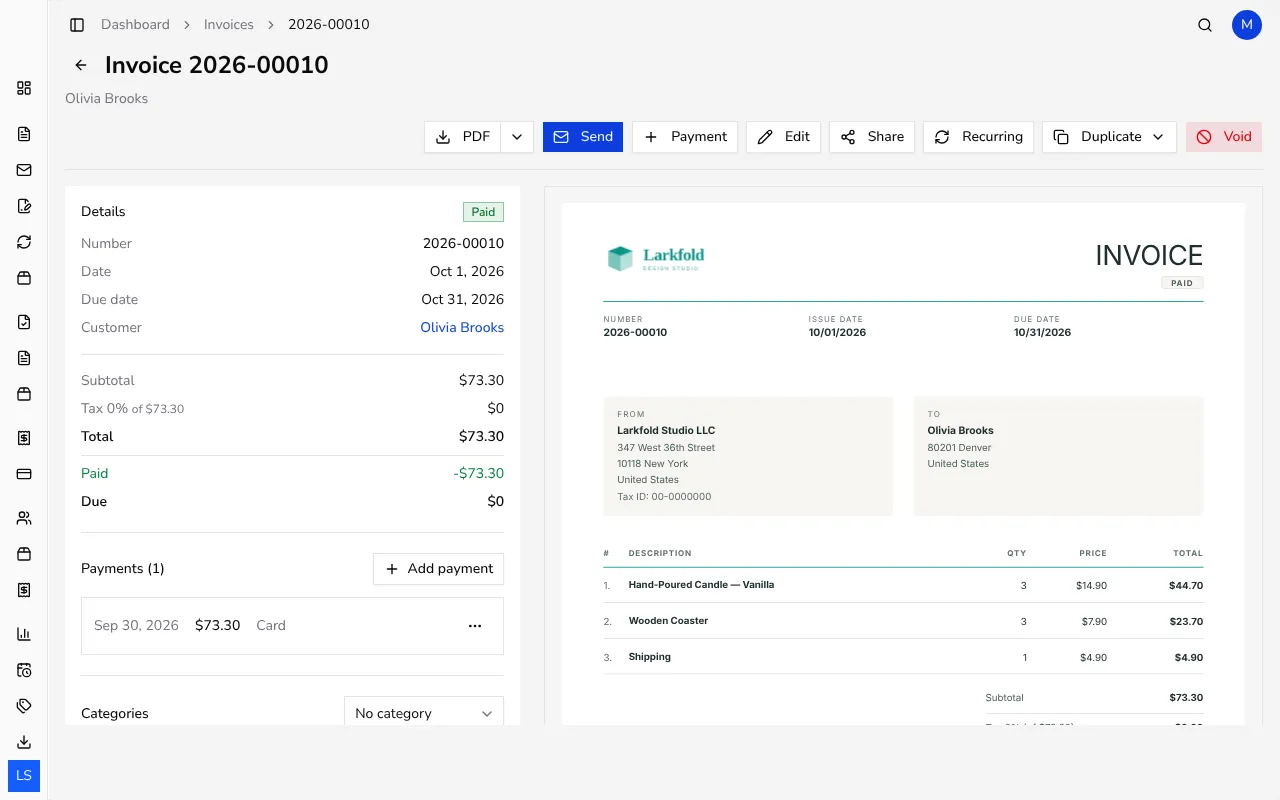
From Invoices in the sidebar, click the invoice you want. Its page shows the document totals and an actions row along the top, including PDF and Share.
![Invoice detail page showing the PDF and Share buttons in the actions row]()
- 2
Download the PDF#
Click PDF to download the invoice as a file, laid out with your current template, logo and brand color. The file downloads straight to your device, ready to print, email as an attachment yourself, or file away.
- 3
Choose a different language, if you need to#
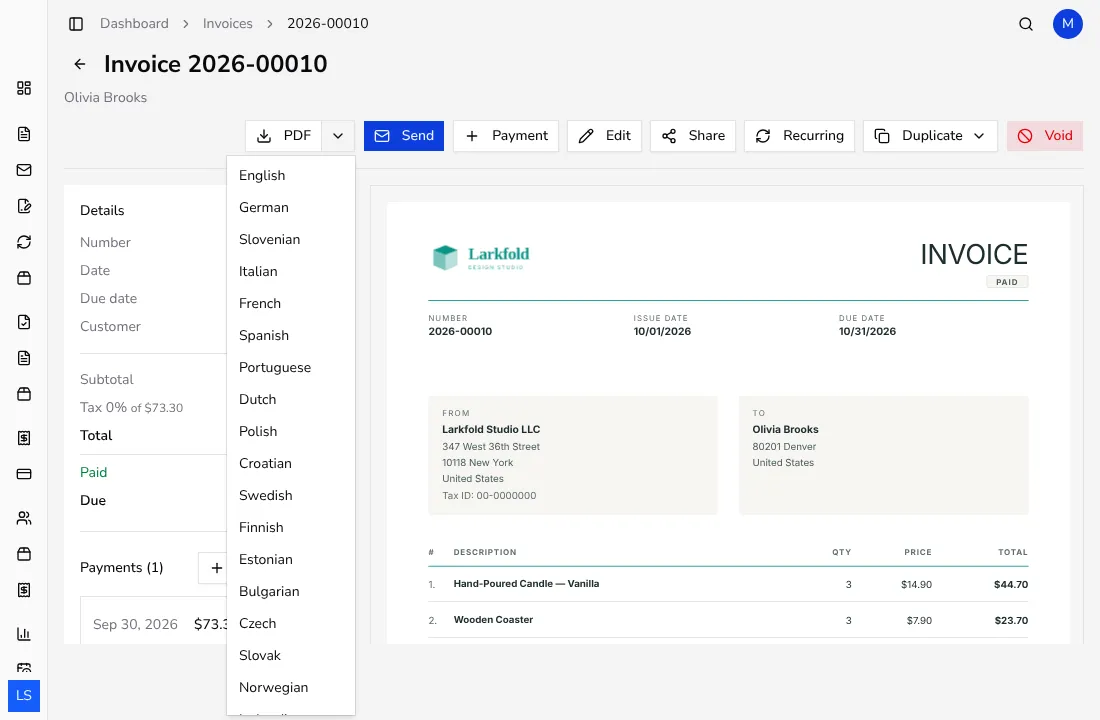
If your account offers it, a small arrow next to PDF opens a list of languages; pick one to download that same invoice with its labels translated, without changing anything on the original document. Portugal doesn't offer this list: documents there are always downloaded in Portuguese.
![Dropdown menu next to the PDF button listing language options for the download]()
- 4
Share a link instead of a file#
Click Share to turn on a public link for this invoice. Anyone with that link can open a read-only view of the document and download the PDF themselves, without logging in to Apollo, which is handy when a customer just wants to check the invoice online.
- 5
Turn sharing off again#
Once a link is active, the same button lets you Unshare the document at any time; the link then stops working immediately, so old copies of it can no longer open the invoice.
Tips
- The shared link only ever shows a read-only summary and lets someone download the PDF; it never lets them edit the document.
- If you send the invoice by email from Apollo instead, you don't need to download the PDF yourself first — the email can attach it for you. Sending by email isn't available in Portugal.
- Downloading the PDF again after adding a payment shows the updated status, so the file you keep on file always matches what's due.
Frequently asked questions
Does the downloaded PDF look the same as the invoice on screen?
Yes, it shows the same items, taxes and any discounts. It's drawn with your current logo, brand color and template, so after you change your branding, a new download of an older invoice shows the new look too.
Can my customer download the PDF without an Apollo account?
Yes, once you share the invoice, the link opens a public page with its own Download PDF button that doesn't require signing in.
What happens to the shared link if I unshare the document?
The link stops working right away; anyone who still has it will see that the document is no longer available.
Can I download a PDF for a document I haven't issued yet?
A draft can still be downloaded as a preview PDF, though it won't show a final document number until you issue it. In Portugal there are no drafts, because every document is issued as soon as you save it.