How to set up Apollo for a flat-rate sole trader
If you run a Slovenian flat-rate sole trader business (normirani s.p.) that isn't registered for VAT, Apollo has three separate things to set: a tax profile for yearly reporting, the Tax subject checkbox in your company settings, and, if needed, your own default tax clause. This guide shows where each one lives and what it actually does. Apollo doesn't advise on tax thresholds or regime choice; for those questions, talk to your accountant or FURS.
- 1
Open the Yearly eDavki Report#
In the sidebar, click Reports, then Export, and scroll to the Yearly eDavki Report section. This section only appears for entities registered in Slovenia.
- 2
Fill in the basic profile#
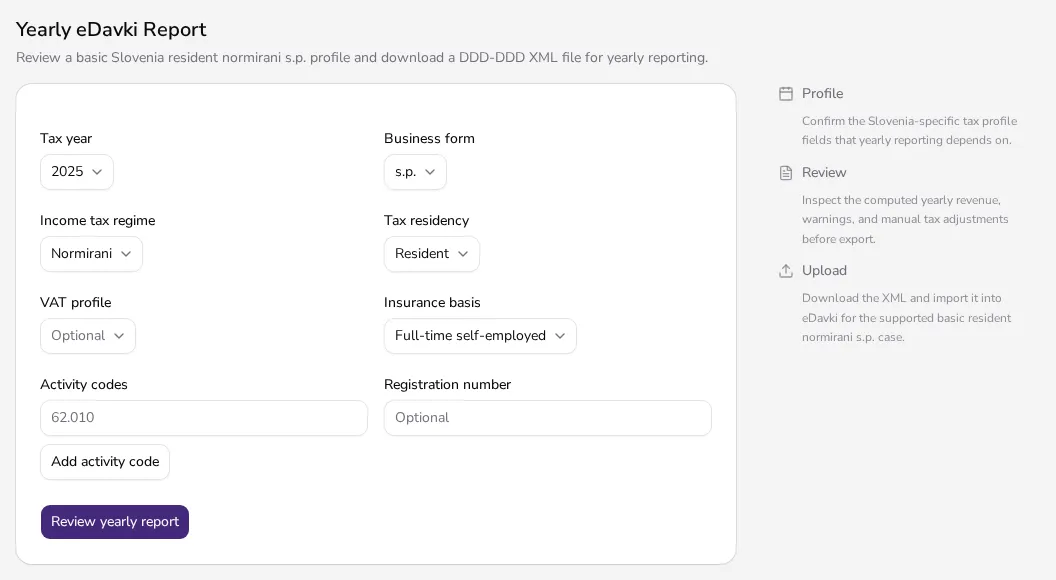
In the field grid, choose the Tax year, Business form (for example s.p.), Income tax regime — pick Normirani for a flat-rate sole trader — and Tax residency. These fields are saved together as your entity's tax profile and used for the yearly eDavki report.
![Yearly eDavki Report profile form with business form and income tax regime fields]()
- 3
Record your VAT profile for reporting#
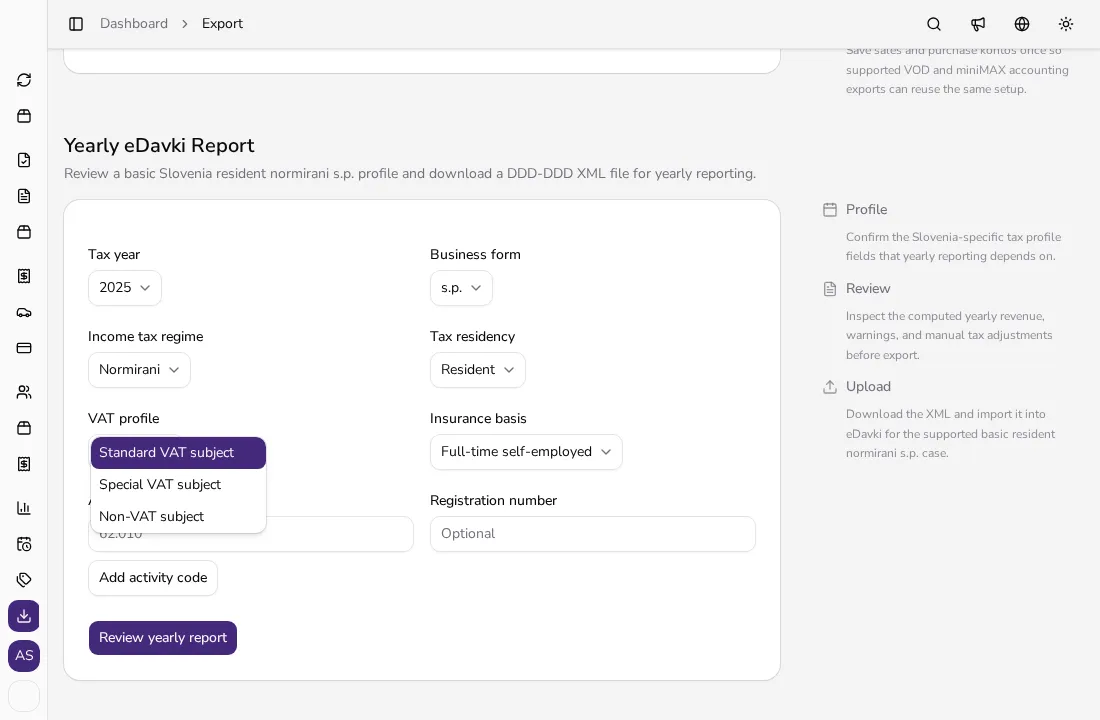
In the VAT profile field, choose Standard VAT subject, Special VAT subject or Non-VAT subject. This field feeds the yearly eDavki report, and it also controls whether the KIR/KPR export is available: Apollo blocks that export when the VAT profile is set to Non-VAT subject, since non-VAT subjects don't file those ledgers. This field alone doesn't yet change whether your invoices carry VAT.
![Open VAT profile dropdown with Standard, Special and Non-VAT subject options]()
- 4
Mark your entity as not VAT-registered#
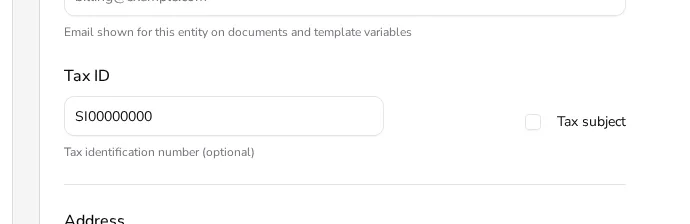
In the sidebar, open Settings, then Company, and find the Tax ID field. Next to it is a Tax subject checkbox — uncheck it if you aren't registered for VAT. New document lines and new catalog items then start without a tax, but items already saved in your catalog with a tax still bring it onto the line, so remove it from them. If your entity was created in Apollo from the start as a non-VAT-subject, Apollo automatically fills your default domestic tax clause with the wording '94. člen ZDDV-1' (Article 94 ZDDV-1); if it was VAT-registered when created, set the clause yourself in the next step.
![Close-up of the Tax ID field and an unchecked Tax subject checkbox in company settings]()
- 5
Set your default domestic clause#
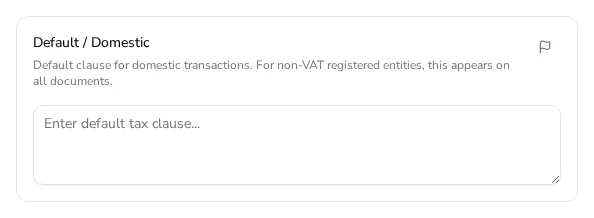
In the sidebar, open Settings, then Tax Rules, and in the Cross-Border Tax Clauses section find the Default / Domestic field. Its description states this clause 'appears on all documents' for non-VAT registered entities; the field is empty until you type your own wording into it, such as '94. člen ZDDV-1' (Article 94 ZDDV-1).
![Cross-Border Tax Clauses section with the Default / Domestic field and its description]()
Tips
- FURS fiscal verification for cash and card invoices applies the same way regardless of whether you're VAT-registered.
- Whether a given invoice carries VAT still depends on the taxes on its lines — the Tax subject checkbox doesn't remove the tax from catalog items; see the guide on creating an invoice.
- For questions about the flat-rate expense threshold or which tax regime to choose, talk to your accountant — Apollo doesn't offer that kind of advice.
Frequently asked questions
Where in Apollo do I mark my business as not VAT-registered?
Uncheck the Tax subject checkbox under Settings → Company. The VAT profile field in the Yearly eDavki Report section is a separate field used for yearly reporting and for KIR/KPR export availability — on its own it doesn't change your invoices.
Does Apollo add the VAT exemption clause automatically?
Only for entities created in Apollo from the start as non-VAT-subject — then Apollo fills the default domestic clause with '94. člen ZDDV-1'. For an existing entity whose status you changed later, set the clause yourself under Settings → Tax Rules → Default / Domestic; once set, it appears on all your documents.
Does FURS fiscal verification still apply if I'm not VAT-registered?
Yes. FURS fiscal verification for cash and card invoices applies the same way to every Slovenian entity, regardless of VAT status.
Does Apollo tell me when I exceed the flat-rate expense threshold?
No. Apollo doesn't give tax advice on thresholds or regime choice. For those questions, talk to your accountant or FURS.