How to get your FURS digital certificate for Apollo
Before you can turn on FURS tax fiscalization in Apollo, you need a namensko digitalno potrdilo — a dedicated digital certificate for the tax-verification process. You get it free of charge through the eDavki portal, then upload the file to Apollo. This guide walks through the whole process, from the request in eDavki to uploading it in Apollo.
- 1
Submit the request in eDavki#
In the personal part of the eDavki portal, select your taxpayer and submit form DPR-PridobitevDP (Zahtevek za pridobitev namenskega digitalnega potrdila za izvajanje postopka davčnega potrjevanja računov) through electronic submission. If you don't have eDavki access yourself, you can authorize your accounting service or cash-register provider to handle the whole process — submitting the request and downloading the certificate — for you.
- 2
Wait for the DPR-PrevzemDP document#
FURS usually sends document DPR-PrevzemDP to your eDavki within a few minutes (about 10), under Prejeti dokumenti (Received documents). It contains the Referenčna številka (reference number) and Geslo za prevzem (retrieval password) you need to download the certificate.
- 3
Download the .p12 file#
In Prejeti dokumenti, click the document number, then the blue link inside it. A download page opens: enter the Referenčna številka and Geslo za prevzem, then click Naprej (Next). When a notice appears, click Prevzem (Download) — don't interrupt the process in any way after this, or the certificate will be lost and you'll have to submit a new request. The file saves as a .p12 file, named after the reference number (tax number and certificate sequence number, for example 12345678-1.p12).
- 4
Upload the certificate to Apollo#
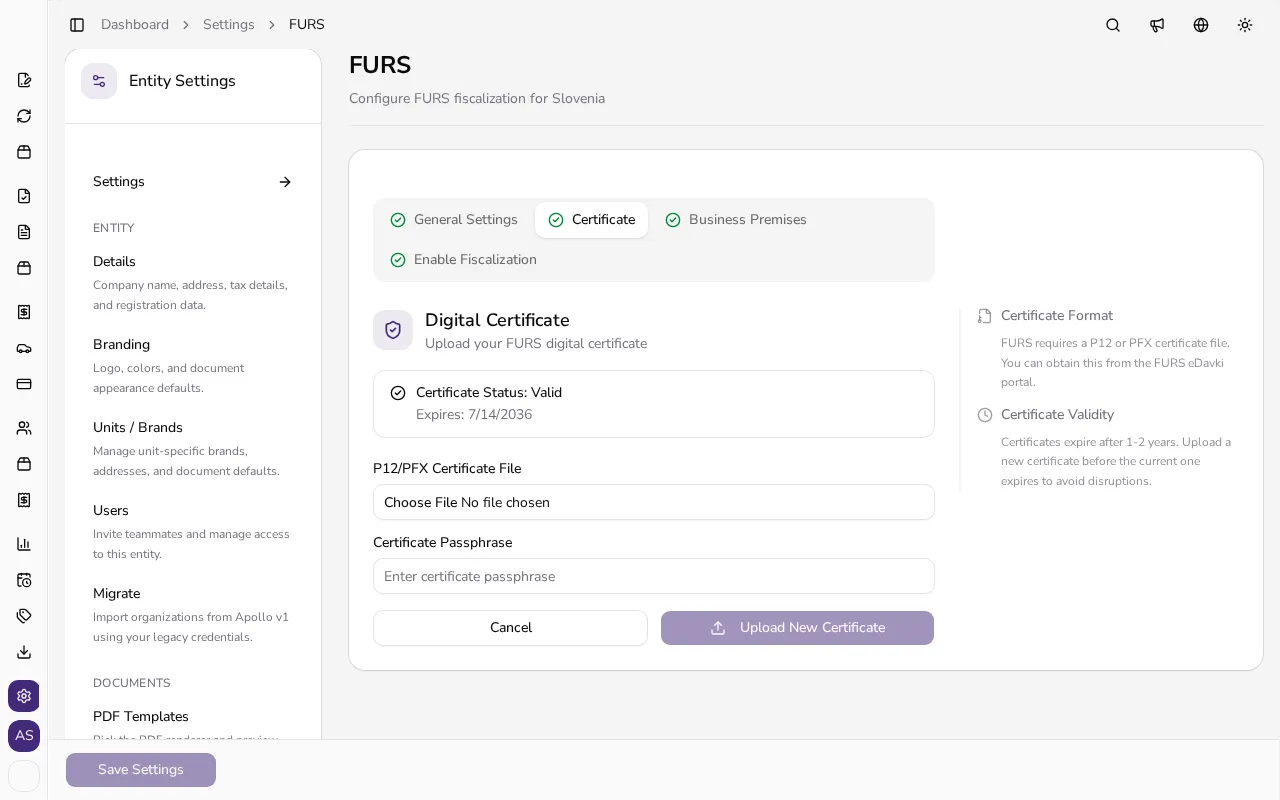
In Apollo, open Settings → FURS → the Certificate tab and click Change Certificate (or upload your first certificate if you don't have one yet). Choose the .p12 file and enter the same Geslo za prevzem you used in eDavki into the Certificate Passphrase field — it's the private-key password of the .p12 file, which Apollo needs to sign the fiscal verification requests it sends to FURS.
![Certificate tab in Apollo with the .p12 file upload form and certificate passphrase field open]()
- 5
Check the certificate status#
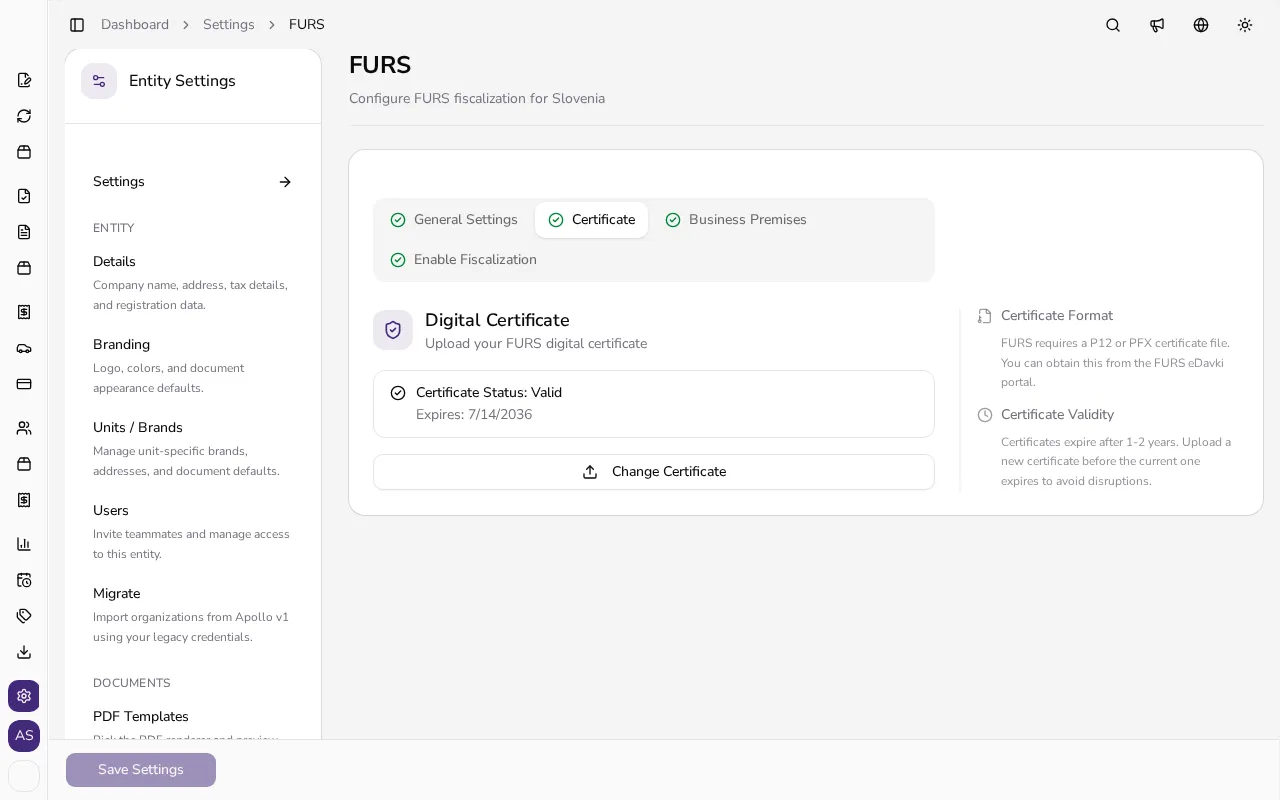
After uploading, Apollo shows the certificate's status (for example Valid) and its expiry date. The eDavki certificate is free and valid for 5 years; upload a new one from the same tab's Change Certificate button before it expires.
![Certificate tab in Apollo showing a Valid status and the certificate's expiry date]()
Tips
- If you don't want to handle eDavki yourself, authorize your accounting service or cash-register provider to submit DPR-PridobitevDP and download the certificate for you.
- Keep the Geslo za prevzem somewhere safe — it's the same password Apollo later asks for as the certificate passphrase.
- Once you click Prevzem in eDavki, don't interrupt the process; if it says the certificate was already downloaded, submit a new DPR-PridobitevDP request.
Frequently asked questions
What is Geslo za prevzem and where do I find it?
It's part of the DPR-PrevzemDP document FURS sends to your eDavki under Prejeti dokumenti after you submit DPR-PridobitevDP. Use it to download the .p12 file in eDavki, then again as the certificate passphrase when you upload it to Apollo.
How much does the certificate cost and how long is it valid?
It's free (no fee) and valid for 5 years from issue.
Can my accountant get the certificate for me?
Yes. If you don't have eDavki access, you can authorize your accounting service or cash-register provider to submit the request and download the certificate on your behalf.
What if I don't see the DPR-PrevzemDP document in Prejeti dokumenti yet?
FURS usually sends it within a few minutes (about 10) of submitting DPR-PridobitevDP. If it's been longer, confirm the request was submitted successfully in eDavki.