How to issue an e-SLOG e-invoice and download a UJP package
e-SLOG 2.0 is Slovenia's national e-invoice standard, and Apollo prepares it directly from your documents. For suppliers to the public sector (B2G), Apollo also prepares a UJP package alongside the e-SLOG file: the envelope and attachments you send to budget users through an e-invoice exchange service provider that has a contract with the Public Payments Administration (UJP). This guide shows where to turn on validation, where to download each file from an invoice, and where to export them in bulk — without Apollo ever submitting anything on your behalf.
- 1
Open the e-SLOG settings#
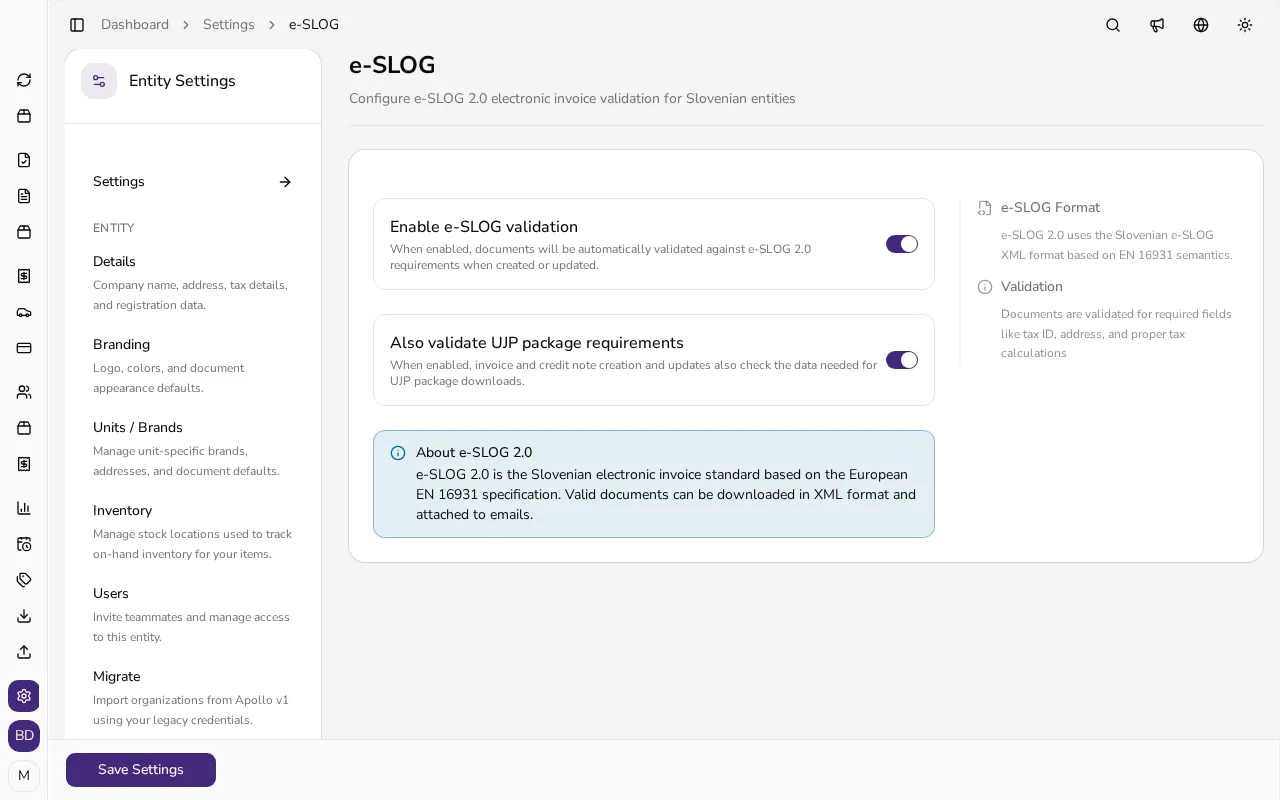
In the sidebar, click Settings, then choose e-SLOG under Compliance. The page is only available for Slovenian entities.
![e-SLOG settings page with toggles for e-SLOG validation and UJP package validation, plus an explanation]()
- 2
Turn on e-SLOG validation, and UJP if you need it#
Switch on Enable e-SLOG validation so Apollo automatically checks e-SLOG 2.0 requirements when you create or update documents. If you invoice the public sector, also switch on Also validate UJP package requirements — only available once e-SLOG validation is on. The About e-SLOG 2.0 panel explains that valid documents can be downloaded as XML and attached to emails.
- 3
Add the customer's bank account#
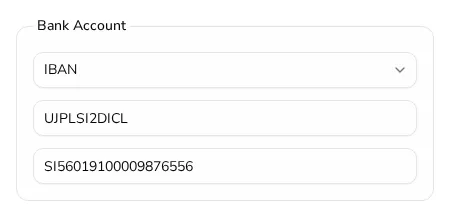
For correct payment routing, open the customer's form and fill in their BIC and IBAN in the Bank Account section. Public-budget customers use the BIC UJPLSI2DICL, as in the example below; this data is used when Apollo prepares the UJP package.
![Bank Account section of the customer form filled in with BIC UJPLSI2DICL and a public-budget customer's IBAN]()
- 4
Download the e-SLOG file from an invoice#
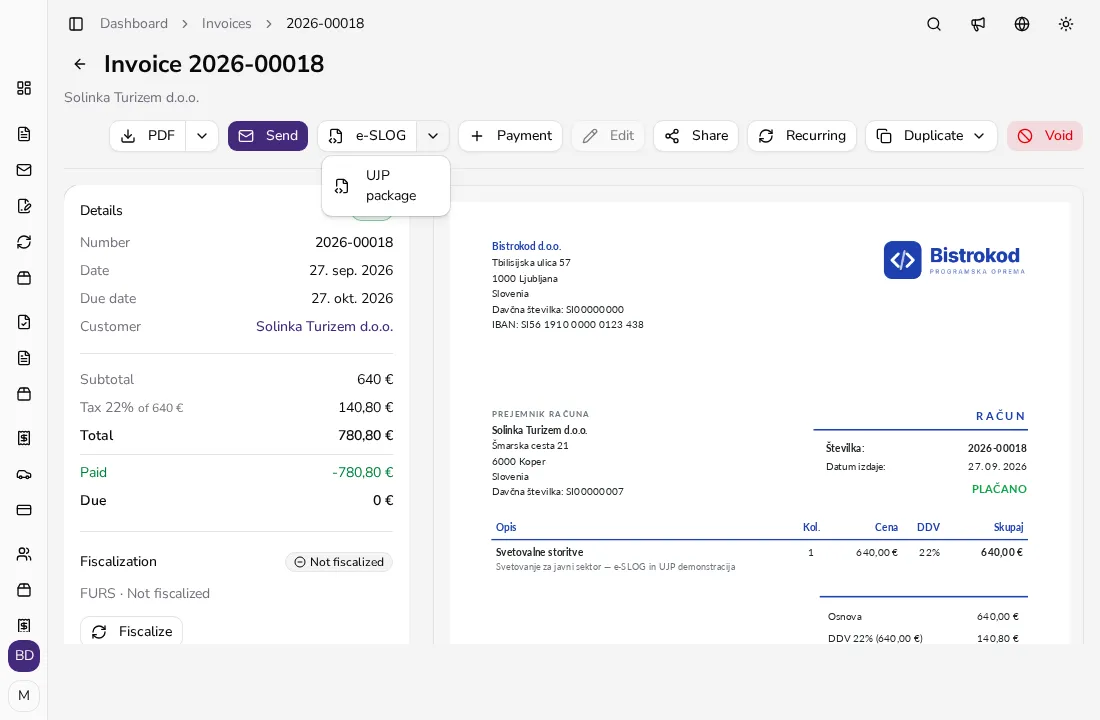
On an issued invoice or credit note, click the e-SLOG button in the action bar to download the XML file. The button only appears once e-SLOG validation for that document is valid; drafts don't have an e-SLOG file.
- 5
Download the UJP package for budget users#
When both e-SLOG and UJP validation are on and valid, an arrow next to the e-SLOG button opens a menu with UJP package — a ZIP file with the e-SLOG 2.0 e-invoice (.xml), the UJP envelope (.env), an attachment package (.tar.gz) and the invoice PDF. You send the package yourself through an e-invoice exchange service provider that has a contract with UJP (banks are among them); Apollo doesn't send it for you. On the UJPeRačun portal you enter the e-invoice by hand instead, since UJP's instructions don't describe importing prepared files. The guide on submitting the UJP package covers both routes.
![Document action bar with the open menu next to the e-SLOG button showing the UJP package option]()
- 6
Export e-SLOG in bulk for your accountant#
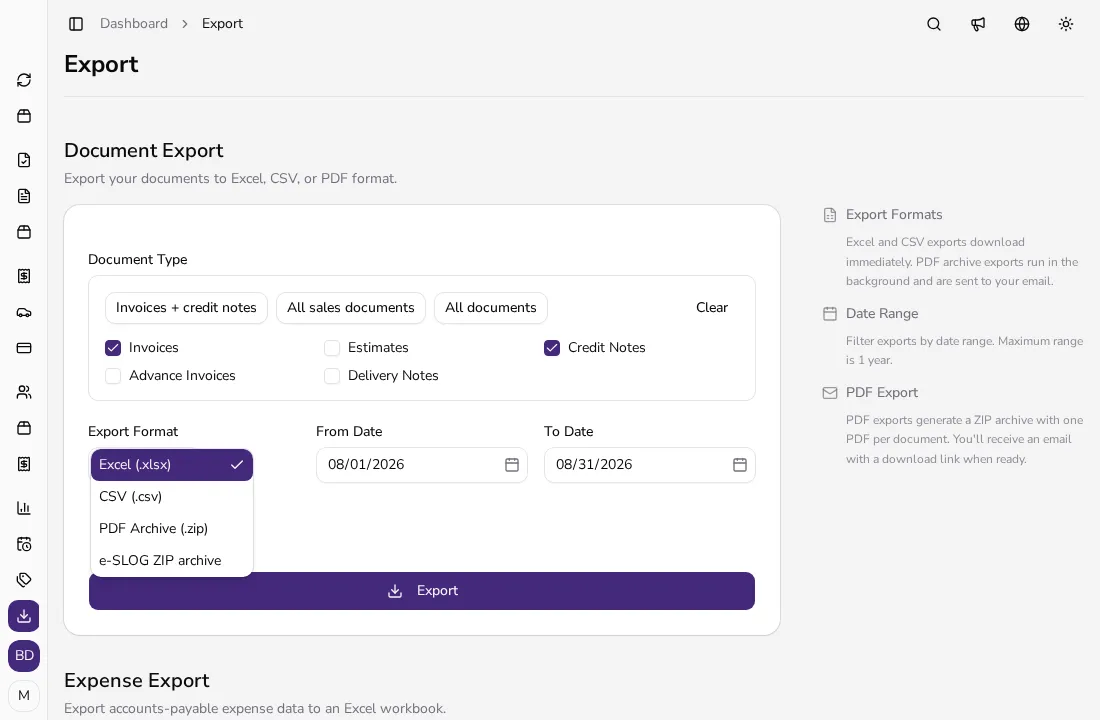
On the Reports → Export page, open the Export Format dropdown and choose e-SLOG ZIP archive. The export covers invoices, estimates, credit notes and advance invoices for the period you choose; only valid e-SLOG documents are included, and invalid ones are skipped automatically.
![Open Export Format dropdown listing Excel, CSV, PDF Archive and e-SLOG ZIP archive]()
Tips
- Turn on e-SLOG validation before you need your first e-invoice, so Apollo flags missing fields as you go instead of at download time.
- If you invoice the public sector, turn on UJP validation too and double-check the customer's IBAN and BIC (UJPLSI2DICL for public-budget customers) are filled in.
- You can re-run the bulk e-SLOG export for the same period as many times as you need, since it always skips invalid documents automatically.
Frequently asked questions
Is e-SLOG the same as Peppol?
No. e-SLOG 2.0 is Slovenia's national e-invoice standard, while Peppol is an international delivery network. For Slovenian businesses, Apollo prepares e-SLOG files and the UJP package, and sends Peppol e-invoices once it's turned on in the E-invoicing settings.
Do I need e-SLOG if I don't sell to the public sector?
To do business with the public sector you need an e-invoice in a supported standard. Apollo prepares the e-SLOG file and UJP package for this workflow; UJP also accepts other supported standards. For other business customers, you can attach the e-SLOG file to the invoice when they ask for it.
Does Apollo submit the UJP package for me?
No. Downloading the UJP package is a file export. You send the package yourself through an e-invoice exchange provider, or you enter the details by hand on the UJPeRačun portal; the guide on submitting the UJP package covers both.
Can I download e-SLOG for a draft invoice?
No. e-SLOG and UJP package downloads are available for issued invoices and credit notes only, not drafts.