Set up document numbering in Apollo
Every invoice, estimate, credit note, advance invoice and delivery note you issue gets a document number automatically. Apollo's numbering settings let you control exactly how that number looks and where it starts, separately for each document type and, if you use them, for each business unit.
- 1
Open numbering settings#
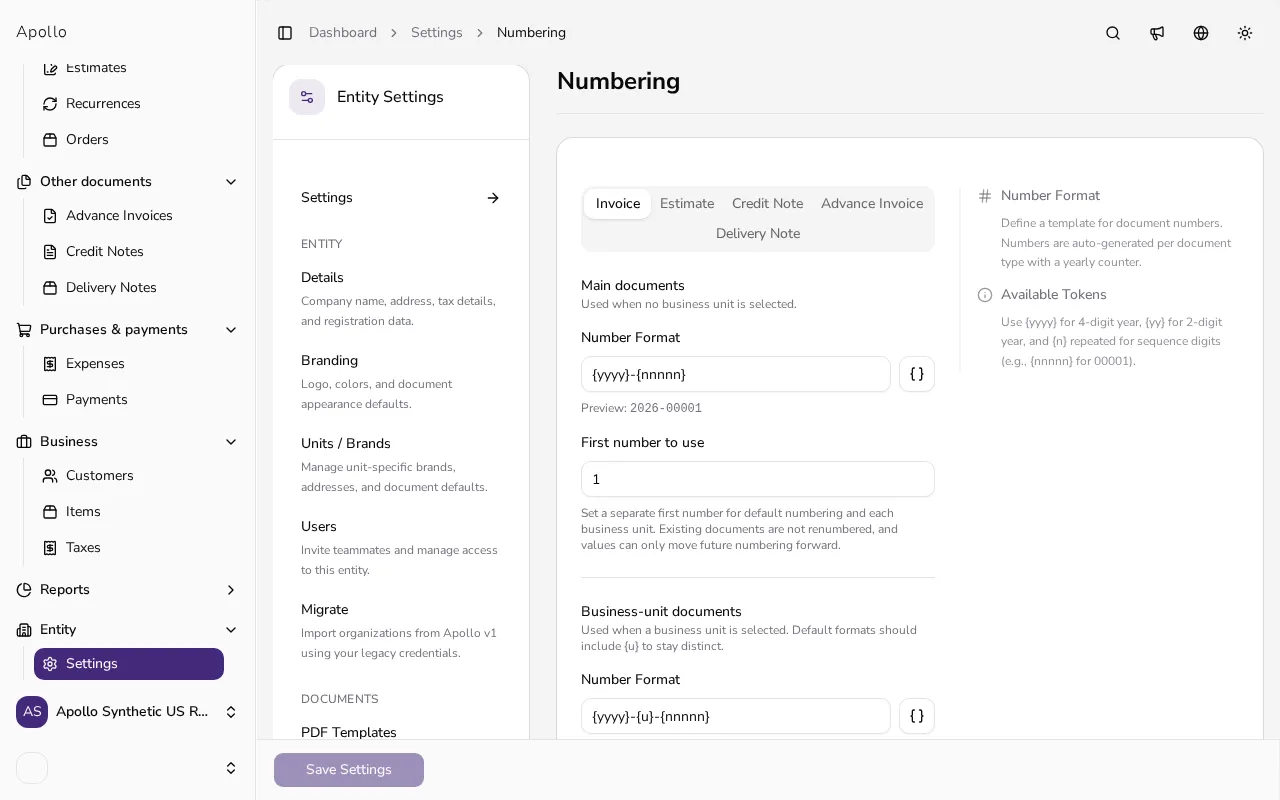
In the sidebar, click Settings, then choose Documents and Numbering. The page shows one tab per document type: Invoice, Estimate, Credit Note, Advance Invoice and Delivery Note.
![Numbering settings page with tabs for each document type and a number format field]()
- 2
Pick a document type tab#
Click the tab for the document type you want to change. Under Main documents, the Number Format field shows the pattern used when no business unit is selected, together with a live preview of what a real number would look like, such as 2026-00001.
- 3
Build a number format#
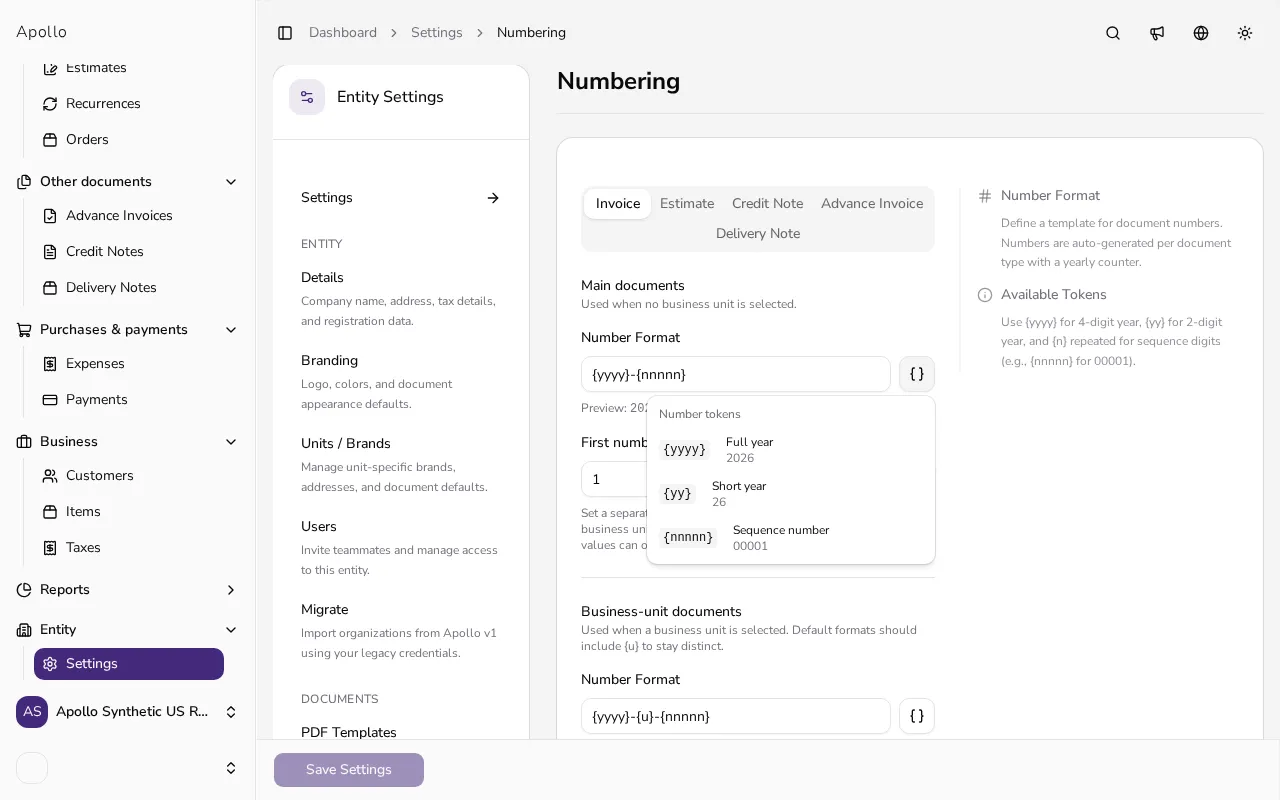
A format is built from tokens: {yyyy} for the full year, {yy} for a two-digit year, and {nnnnn} for the running sequence number, where the number of ns controls how many digits are padded with zeros. Click the token button next to the field to insert one at the cursor. A format needs exactly one sequence token and at most one year token.
![Number format field with a dropdown of insertable tokens such as year and sequence number]()
- 4
Set the first number#
Use First number to use to choose where the counter starts, for example if you're migrating from another system. This can only move future numbering forward; it never renumbers documents you've already issued.
- 5
Repeat for business units, if you use them#
If your entity has active business units, a Business-unit documents section appears below with its own Number Format and starting number per unit. This format must include a business-unit token, such as {u}, and must differ from the main format, or saving is blocked.
- 6
Save your settings#
Once every tab looks right, click Save Settings at the bottom of the page. Apollo applies the new formats and starting numbers to documents you create from now on.
Tips
- Changing a format only affects documents you create from now on; anything you've already issued keeps its original number.
- If saving is blocked because business-unit numbering matches the main format, add a token such as {u} so the two series stay easy to tell apart.
- Use {yy} instead of {yyyy} for a shorter number, or drop the year token entirely if you'd rather number documents in one continuous series.
Frequently asked questions
Can I lower the starting number after documents already exist?
No. First number to use can only move numbering forward; it never renumbers or reuses numbers on documents you've already issued.
What happens if I remove the sequence token from a format?
Apollo won't let you save a format without a sequence token such as {nnnnn}; every format needs exactly one so each document still gets a unique number.
Do invoices and estimates share the same number series?
No. Invoices, estimates, credit notes, advance invoices and delivery notes each have an independent format and counter, even if you give two of them a similar-looking pattern.
Why does Apollo require a separate format for business units?
Apollo blocks saving if a business unit's format is identical to the main document format, so documents from each business unit and your default numbering never end up looking the same.